I:\),確保分區剩余空間充足。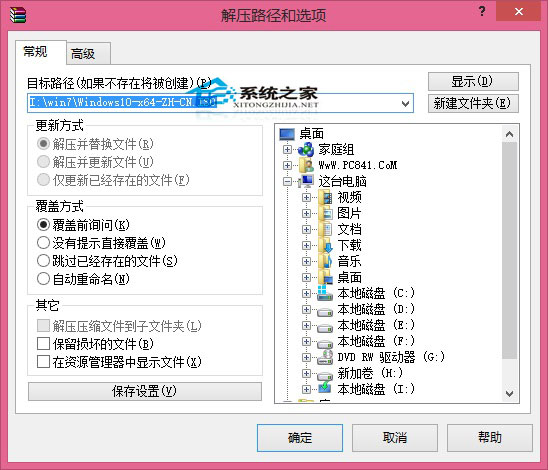
NT6 HDD Installer.exe)複製到 ISO 解壓目錄同級(如 I:\)。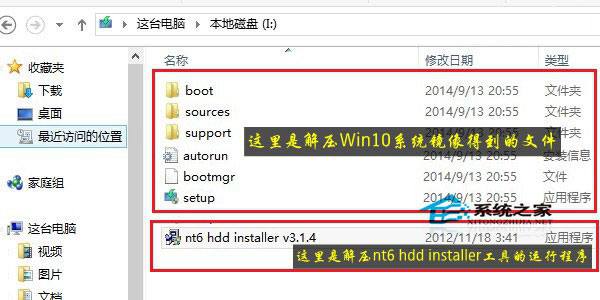
NT6 HDD Installer.exe → 界面提示點擊「安裝」。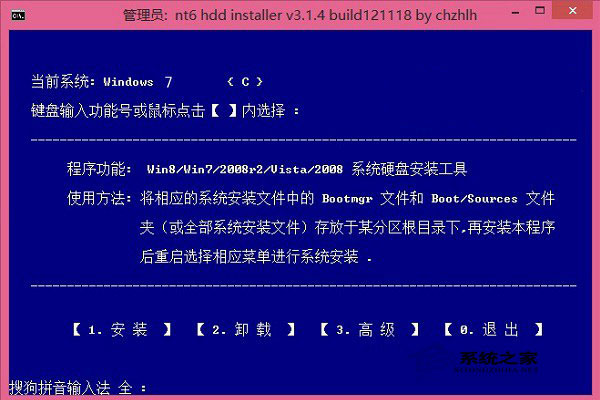
Win10 PowerShell 命令失效後修復:DISM 修復系統映像恢復應用重設功能
Win10 紅石版 Build 14295 更新內容:修復遊戲手柄凍結、大寫鎖定刷新、Xbox App 登入等問題
Windows 10 解除安裝應用程式三種方法:設定、控制台、PowerShell
Win10 系統 igfxhk 模組停止運作?顯卡驅動異常完整解決指南
Win10 開始選單磚設定全攻略:新增、移除、調整大小、固定工作列
Win10 群組原則編輯器「命名空間已被定義」錯誤?刪除 Geolocation ADMX 檔案解決