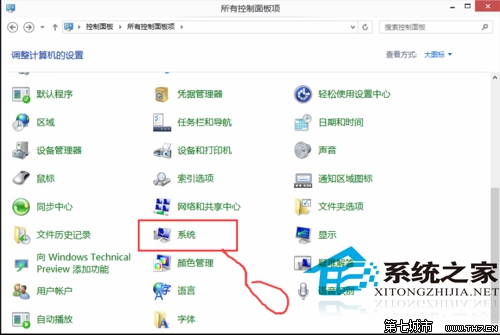
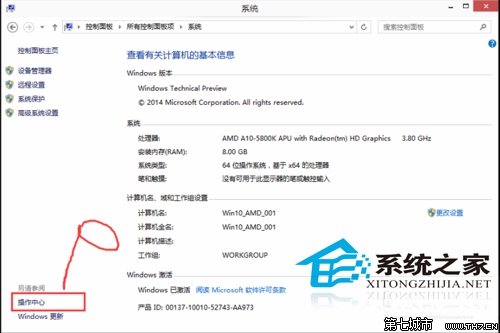
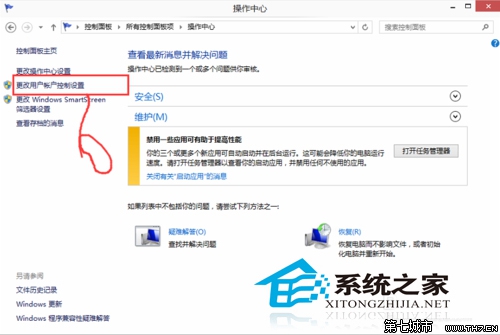
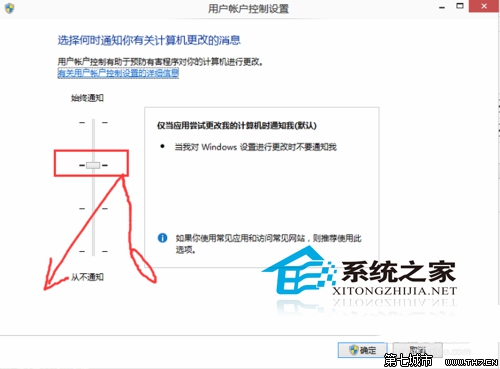
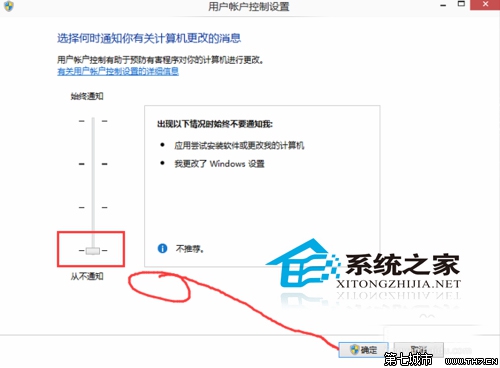
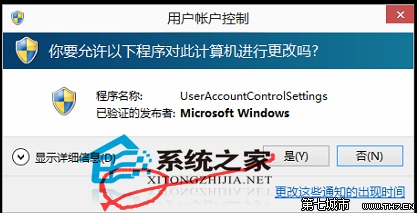
注意:UAC 能防止惡意軟體未經授權安裝或變更系統設定,關閉後安全性會降低,建議權衡後再決定。
Win10 Edge 瀏覽器淘寶無法關聯阿里旺旺?切換 IE 引擎或直接用 IE 登入解決
Win10 提示「已停用 IME」無法輸入中文?電腦管理啟用 MsCtrMonitor 任務恢復輸入法
VMware Workstation 10 安裝 Win10 虛擬機完整教程:ISO 掛載/客戶機選 Win8/64 位對應
Win8.1 安裝程式出現錯誤 2502/2503 怎麼解決?修復 C:\Windows\Temp 資料夾權限
Win10 9888 升級/安裝方式總覽:ISO 掛載/U盤/硬盤/VHD/軟媒工具多路徑可選