透過群組原則可限制使用者安裝 Windows Installer (MSI) 套件,適用於共用/公用電腦管理。
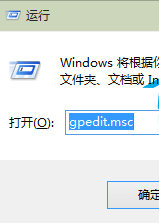
gpedit.msc
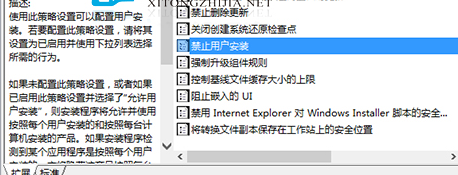
電腦設定 → 管理範本 → Windows 元件 → Windows Installer
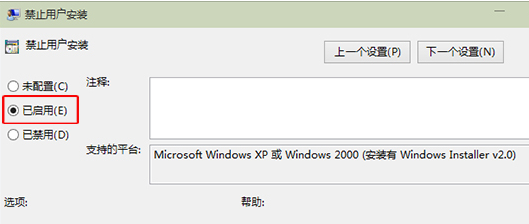
同路徑將「禁止使用者安裝」設為「未設定」或「已停用」。
HKLM\Software\Policies\Microsoft\Windows\Installer\DisableMSI
用 360 安全衛士將 Win10 還原至舊版本系統
什麼是 Windows 10 Continuum 連續體?手機秒變 PC 完整解析
Windows 10 剪貼板滿了怎麼清空?建立「清空剪貼板」捷徑一鍵解決
Win10 安裝 Win8.1 雙系統教學:USB 開機安裝法(支援 UEFI/BIOS)
Win10 照片查看器的系統進程是什麼?
Win 10 飛行模式開啟/關閉完整教學:動作中心、設定、硬體開關三法
Win10 筆電合上蓋幕不進入睡眠/休眠設定教學
Win10 藍屏死機不斷重開機?顯卡驅動不相容是主因,更新/停用驅動救援法