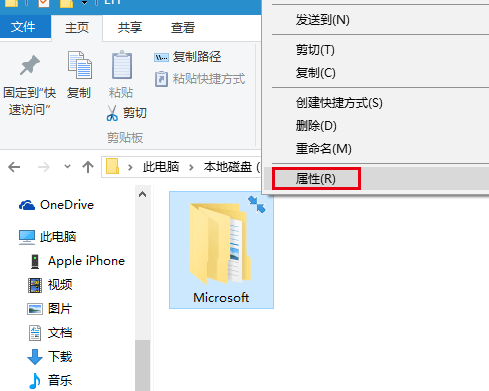
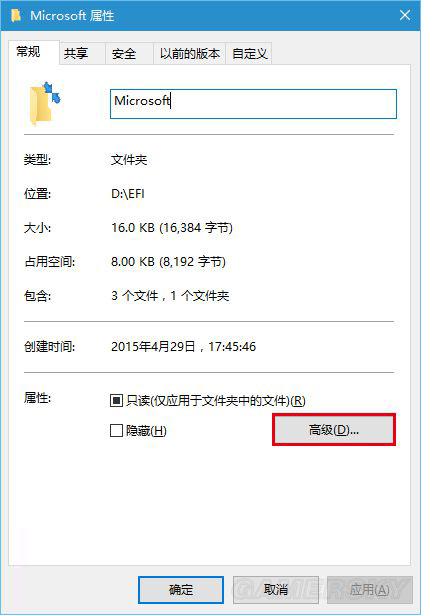
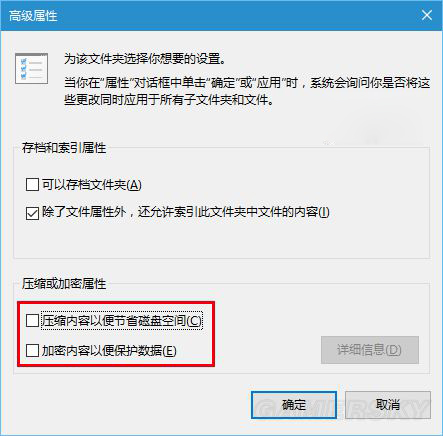
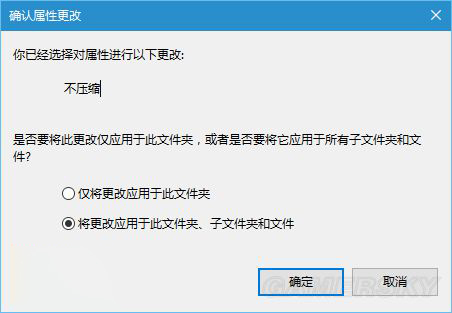
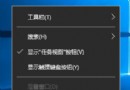
資料夾右上角的藍色雙向箭頭代表該資料夾啟用了 NTFS 壓縮。移除方法:
取消壓縮後箭頭圖示消失,資料夾恢復一般顯示狀態。
Windows 10 內建鬧鐘與時鐘 App 完整設定教學
Win10 相容性疑難解答:讓舊程式在新系統順利執行
Win10 右側邊緣快捷選單無法用滑鼠喚出?改用 Win+C
Win10 如何對應網路磁碟機?CMD 開啟共享 → 右鍵「對應網路磁碟機」分配磁碟代號
Win 10 音量混合器綠色音量條不見了?開啟「視窗動畫」找回
Win10 藍屏死機不斷重開機?顯卡驅動不相容是主因,更新/停用驅動救援法
Win10 設定螢幕解析度完整教學(適用 10162 等早期版本)
Win10 檔案總管隱藏「常用資料夾」與「最近使用的檔案」:資料夾選項兩步驟完成,保護隱私