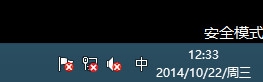
Windows 10 安全模式與一般模式主要差異:
安全模式適用於驅動衝突排除、惡意軟體移除、系統檔案修復等維護作業。
Win 10 磁碟清理刪除「系統壓縮」檔案釋放空間
Win10 無限重開機循環問題解決:USB 修復媒體修復啟動與檔案系統
Win10 啟用「隱藏使用者安裝」:群組原則限制他人使用已安裝軟體
Win10 Mobile 10559 何時推送?內部版本已進入 Fast Ring,10 月發布會有望亮相
Win10 怎麼看已連接 Wi-Fi 密碼?圖文教學輕鬆找回遺忘密碼
Windows 10 更新補丁儲存資料夾位置:C:\Windows\SoftwareDistribution\Download
Win10 更新下載失敗/速度慢?修改 DNS 為微軟官方推薦 4.2.2.1/4.2.2.2 加速解決
Windows 10 加快桌面應用啟動速度:關閉啟動延遲註冊表教學