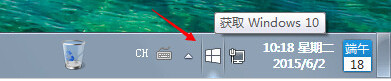
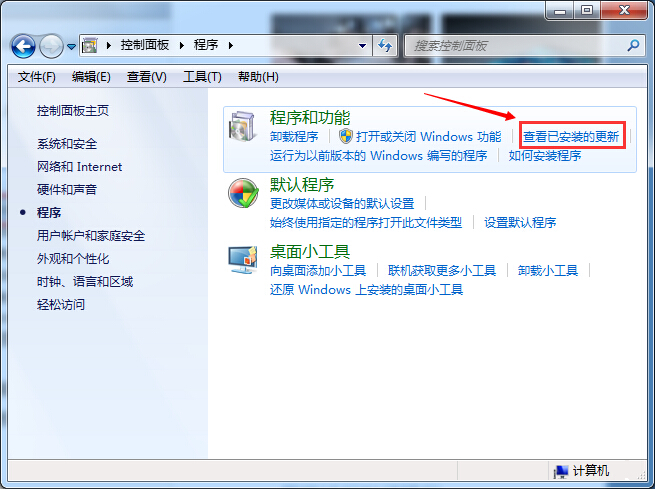
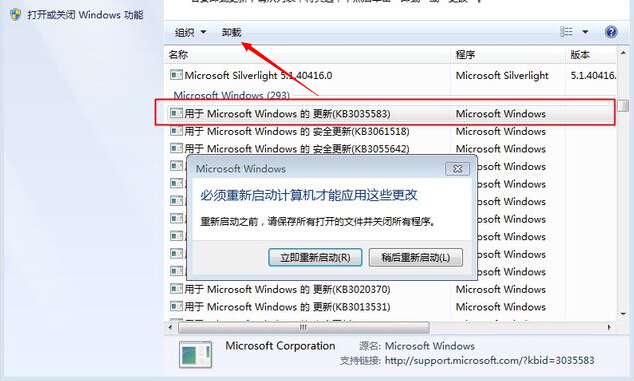
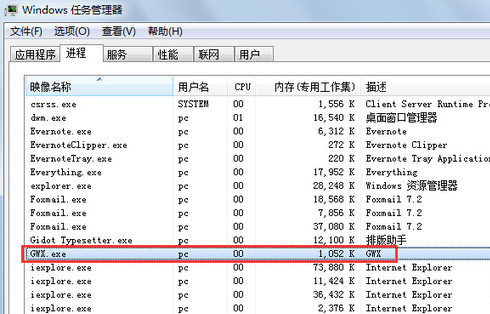
Win7/8.1 工作列出現「取得 Windows 10」圖示 (GWX.exe) 三大關閉方案(同 24294):
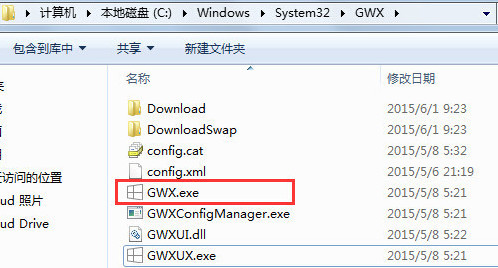
C:\Windows\System32\GWX
GWX.exe
使用免費小工具 「I Don't Want Windows 10」,自動解除安裝 KB3035583 並封鎖後續推送,一鍵完成。
Windows 10 Build 10134 註冊表啟用夜間模式 (AppsUseLightTheme=0)
Windows 10 全新視窗陰影效果:啟用視窗擁有細緻投影,未啟用視窗無陰影,提升視覺層次
Win10 首次開機黑畫面過久?登錄表關閉 ULPS 電源管理加速開機
Win10 斯巴達瀏覽器關閉 Adobe Flash Player 方法
Win10 應用程式商店錯誤 0x80072EE7 解決:DNS、Hosts、防火牆三大排查方向
Win10 查看與調整螢幕重新整理率(Hz)完整圖解
Win10 安裝程式無法啟動?兩種常見解決方案
Windows 10 找回消失的「個人化」設定:群組原則啟用內建管理員核准模式