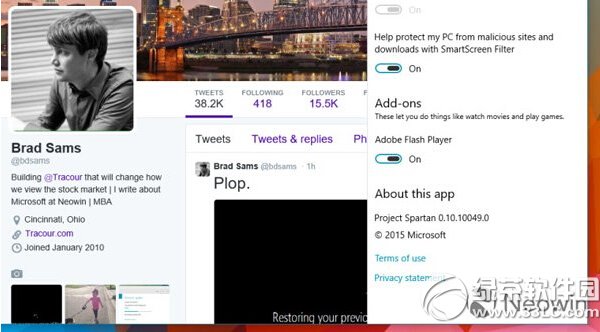
斯巴達瀏覽器採用 Edge 引擎,支援 HTML5,安全性較 Flash 佳。若不需 Flash 可關閉以提升安全。
提醒:常瀏覽國內影音網站者建議保持啟用,避免影響觀看體驗。
Win10 程序無響應怎麼強制關閉?任務管理器「結束任務」三步搞定
Win10 檔案總管頻繁自動重新整理怎麼解決?三種修復方案停止閃爍
Windows 10 提示「沒有權限使用網路資源」:認證管理器新增 Windows 憑證解決存取被拒
Win10 系統缺少通訊端註冊表項 (Winsock) 怎麼解決?網路連線修復完整指南
Win10 開機提示「使用者名稱或密碼不正確」?重設自動登入即可修復
Win10 如何開啟虛擬鍵盤 (觸控鍵盤/螢幕鍵盤)?兩種模式完整教學、快捷鍵、平板模式優化
Windows 10 正式版零售價格曝光:台灣地區家庭版約 NT$3,100、專業版約 NT$4,300
Win10 Build 10056 關閉透明化界面:注冊表 HKEY_CURRENT_USER\SOFTWARE\MICROSOFT\WINDOWS\THEMES\PERSONALIZE → EnableTransparency 0→1 重啟 explorer