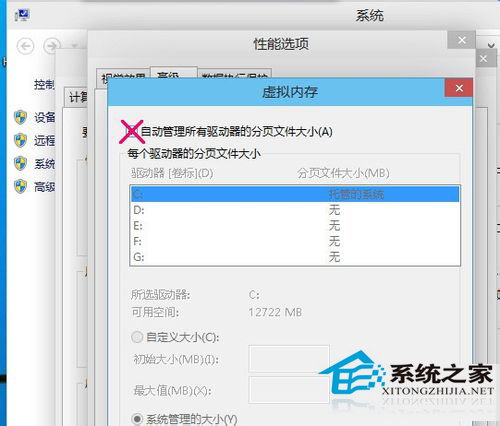
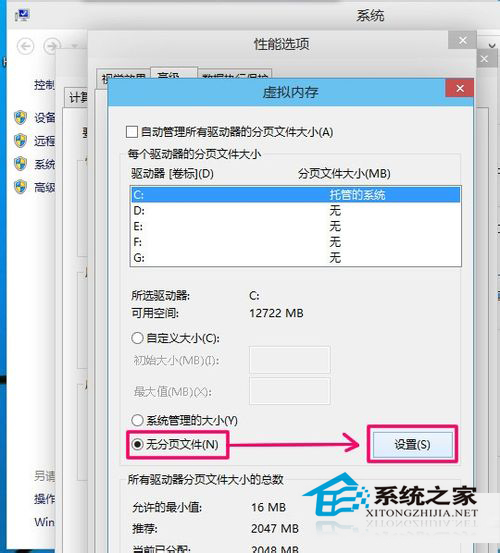
實體記憶體充足 (建議 8GB 以上) 時,關閉虛擬記憶體可減少硬碟讀寫、提升效能:
Win10 複製彈出視窗錯誤訊息:Ctrl + C 直接複製,無需手動抄寫
Windows 10 升級報錯 0x80070006-0x2000C?乾淨啟動排除第三方衝突後再試
Windows 10 使用檔案歷程記錄備份功能保護資料
Win10 如何將迅雷設為 360 瀏覽器預設下載工具?選項中直接切換
Win8/8.1 查看系統事件日誌完整圖文:控制台 → 管理工具 → 事件檢視器 → Windows 日誌分類
Win10 9926 版本號查看全攻略:桌面水印、命令列、註冊表多種方法
Windows 10 關閉防火牆:三種入口快速操作指南
Win10 開啟「執行」視窗三大法:Win+R、開始選單、搜尋列