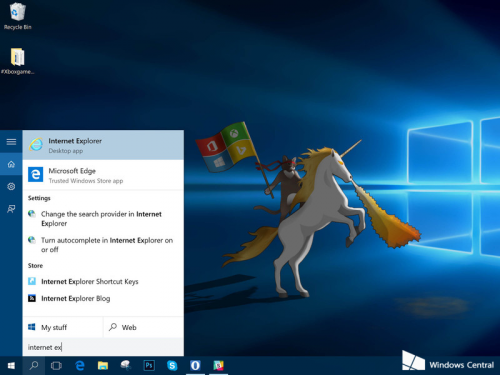
IE 11 仍內建於 Win10,但不顯示於「所有應用程式」中。尋找方法極簡單:
幾步驟即可喚回經典瀏覽器,滿足相容性需求。
Win10 側載模式詳解:安裝非商店應用的關鍵開關
Win10 任務列點擊圖示直接切換視窗技巧(免預覽)
Windows 10 正式版升級常見問題完整 Q&A:授權、硬體、回滾、隱私一次看
Win10 登出/註銷電腦兩種快速方法:右鍵開始選單 vs Alt+F4 關機對話框
Windows 10 系統啟用技巧:使用 KMS 指令碼一鍵啟用(專業版/企業版適用)
Win10 多重桌面(虛擬桌面)使用教學:建立、切換、移動視窗全攻略
Win10 協助移除預裝應用:PowerShell 命令行指南
Windows 10 修改全螢幕截圖預設儲存位置至桌面