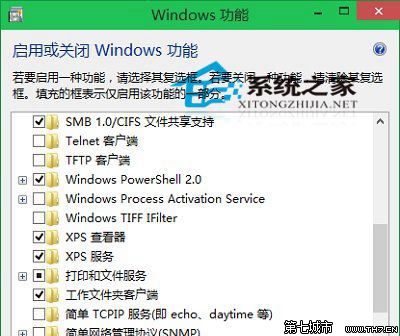
操作簡單輕鬆,可精簡系統元件。
Win10 取消啟動延遲,加速桌面程式載入速度(登錄編輯教學)
Win10 輸入法無法切換?重新設定熱鍵與語言列選項
Win10 開機需重開兩次才能進入系統?三大排查方案解決
Win10 工作列自動隱藏怎麼取消?任務列屬性一鍵固定顯示
Windows 10 修改 Edge 瀏覽器啟動背景色:登錄表教學
Win10 雙擊無法開啟 .exe 執行檔?一行指令修復檔案關聯
Windows 10 螢幕亮度調節完整教程:四步輕鬆保護視力
Win10 開機黑畫面英文提示?檢查硬碟健康、重新插拔硬碟線、重裝系統三步驟