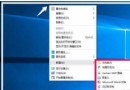
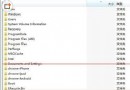
藍屏代碼 0x00000050 (PAGE_FAULT_IN_NONPAGED_AREA) 原因眾多:記憶體故障、軟體相容、磁碟損毀、驅動衝突。提供兩套排查方案。
mdsched) 測試記憶體。del C:\pagefile.sys (視頁面檔位置調整)chkdsk C: /rmsconfig →「一般」→「選擇性啟動」→ 取消「載入啟動項」。依序執行方案一、二,多數 0x50 藍屏可定位根因並解決。
Windows 10 設定視覺效果:系統屬性 → 進階 → 效能設定自訂或選最佳效能
Win10 安裝 Flash 更新 KB3132372 導致瀏覽器崩潰?安裝 KB3133431 修補彈性修復
Windows 10 保護隱私:關閉開始選單操作記錄、清除磚塊個人資訊、停用跳躍清單
Win 10 開啟百度搜尋頁面不斷自動重新整理?兩招徹底解決
Win10 刪不掉 QQPCmgr 資料夾?必須先完整解除安裝 QQ 電腦管家
Win10 Edge 瀏覽器 Web 筆記功能:網頁標註、裁剪、儲存至收藏夾/閱讀清單