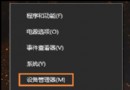
企業環境需將電腦加入網域,Win 10 提供兩條路徑:
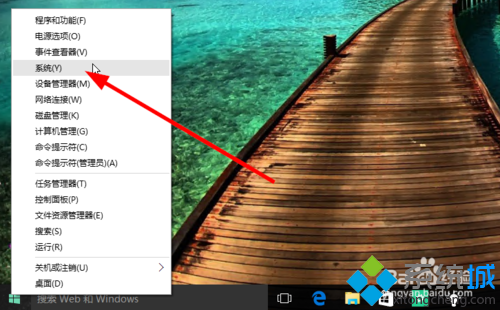
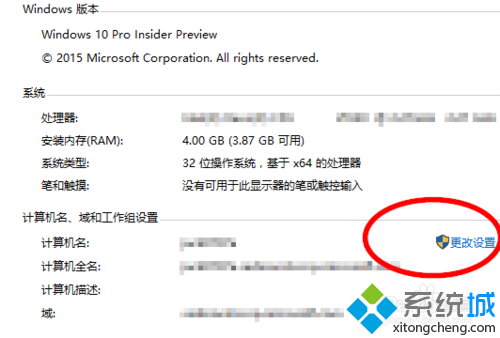
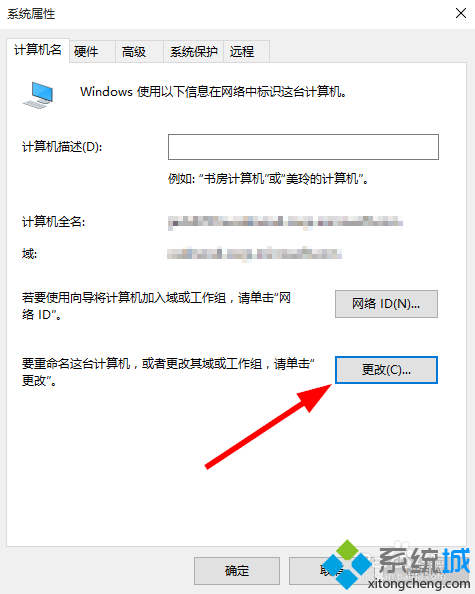
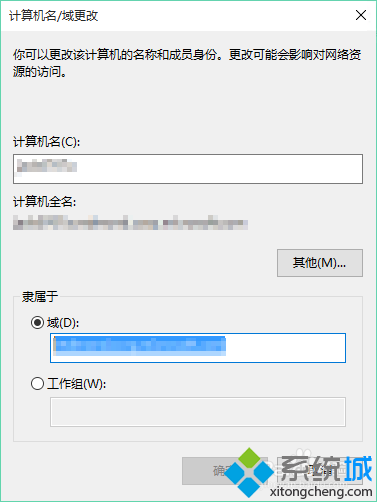
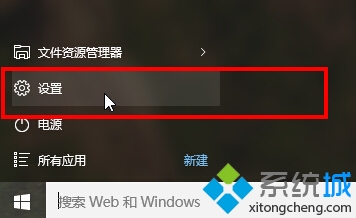
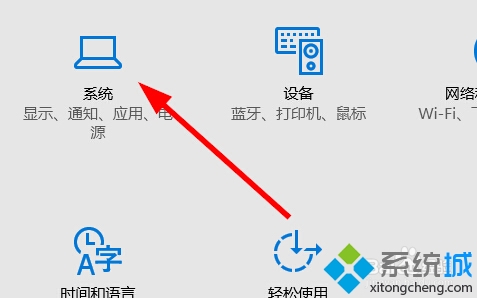
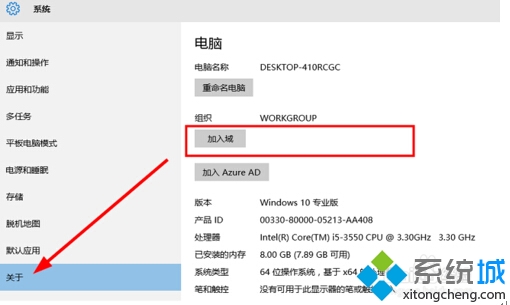
加入網域後電腦受網域群組原則管理,適用企業集中管控環境。
Win10 應用商店無法開啟?啟用「使用者帳戶控制 (UAC)」即可修復
Windows 10 內建輸入法輸入頓號(、):反引號鍵 ` 而非斜線 /
Windows 10 開機出現「同步處理主機 Session」佔用資源?登錄修改徹底停用同步服務
Win10 網路頻繁斷線?關閉網卡「允許電腦關閉此裝置以節省電源」徹底解決
Win10 升級推送圖示 (GWX) 關閉大全:永久移除 KB3035583、暫時結束程序、第三方工具一鍵淨化
Win10 小娜搜尋綁定 Edge 怎麼破?第三方工具 Cortana Search 導向預設瀏覽器
Win10 Mobile Build 10149 已知 Bug 與解決方案彙總:升級錯誤、PIN 解鎖、Gmail 簡訊、應用顏色、試用版誤判