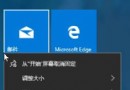
想把開始菜單的動態磁貼放到桌面?直接按住磁貼拖曳至桌面空白處,出現「建立連結」提示後放開即可。
注意:固定到桌面後,磁貼會變成靜態捷徑圖示,**失去動態更新內容**(如天氣、新聞即時資訊)。若需保留動態效果,建議仍置於開始菜單或使用全螢幕開始模式。
安裝 Win10 技術預覽版完整須知:適用對象、系統需求、語言、相容性、升級保留內容、自動更新政策
Win10 在關機選單加入「休眠」選項教學
Win10 如何退出家庭群組?網路和共用中心→家庭群組→離開釋放資源
Windows 10 安裝 GeForce 364.47 驅動藍屏?官方建議自訂安裝/斷開多螢幕
Win10 右鍵選單新增「註冊/反註冊 DLL」選項:註冊表手動部署與軟媒魔方一鍵部署雙方案
Win10 如何將語音轉換為文字?訊飛語音輸入法電腦版支援語音輸入、即時轉寫,免費好用
Win10 停用/移除 Internet Explorer 11 教學 (功能開啟或關閉)
Win10 Chkdsk 磁碟修復指令完整參數表:新舊參數對照與實戰指南