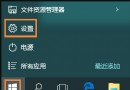
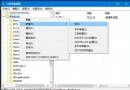
KB3140743 (10586.122) 安裝後重開機卡在旋轉圓圈無法進入系統。解決流程:
若更新耗時極長且非必要,建議暫不更新等待修正版。
B站視頻下載技巧:網址加「jj」直達下載頁,支援 MP4/FLV/MP3/彈幕
Win10 顯示/隱藏工作檢視按鈕:工作列右鍵一鍵切換
Windows 10 IE 瀏覽器如何管理附加元件(增益集)?網際網路選項一鍵進入
Win10 筆電插耳機彈出 SmartAudio 錯誤怎麼關閉?停用 Conexant 服務
Win10 小娜 (Cortana) 只顯示文字無語音?設定喇叭為預設播放裝置修復
Windows 10 應用程式安裝至其他分區/外接儲存裝置:兩種方法完整教學
Win10 虛擬記憶體設定教學:自訂分頁檔大小、移至非系統碟、關閉分頁檔
Win 10 應用商店「已購買未安裝」清單無法移除?切換帳號暫時隱藏