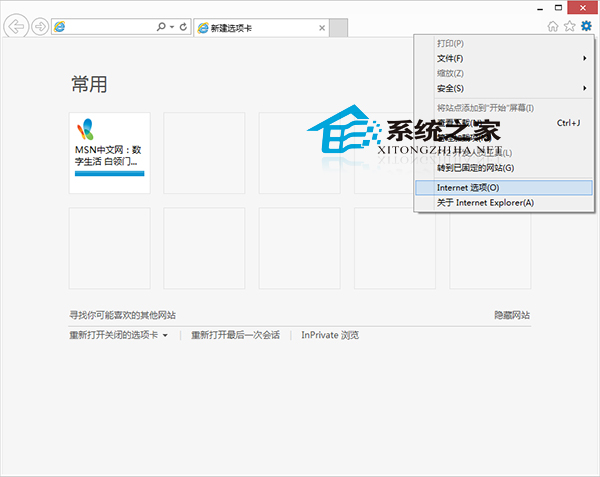
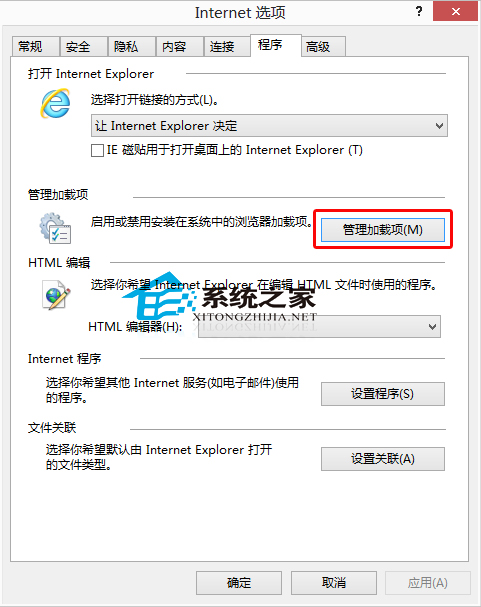
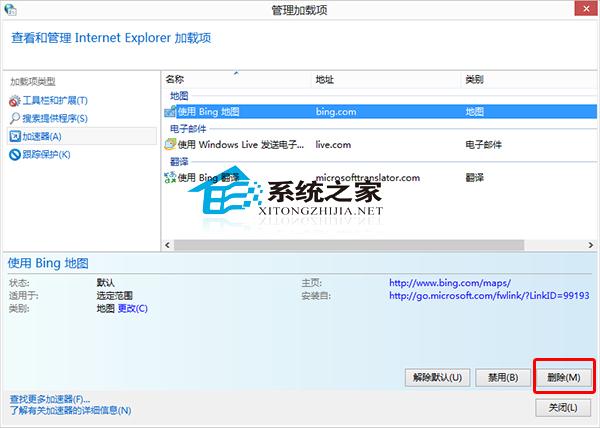
IE 安裝過多增益集導致開網頁變慢?管理與移除步驟:
亦可使用第三方優化軟體批量管理。定期清理增益集可保持 IE 瀏覽速度。
Win10 觸控板手勢操作全攻略:三指解鎖高效多工
Win10 Edge 瀏覽器將網頁加入「閱讀清單」離線閱讀
Win10 Edge 瀏覽器設定首頁:設定→進階設定開啟首頁開關輸入網址
Windows 10 顯示或隱藏任務列右下角的展開箭號
Win10 磁碟使用率 100% 狂飆?16 招終極優化:關閉家庭群組、自動維護、Defender、Search、Superfetch、虛擬記憶體、IPv6、視覺特效、SSD 升級
Win10 Edge 瀏覽器首頁怎麼設?3 步自訂開啟頁面
Win10 寬帶連線錯誤 651 完整排查:線路、調變解調器、ISP 三層檢查
Win10 累積更新 KB3172985 安裝失敗/卡住 95% 進入無限循環?微軟確認 Bug 待修復,暫時解決方案彙整