Windows XP Windows 7 Windows 2003 Windows Vista Windows 綜合教學 Linux 系統教學
Windows 10 Windows 8 Windows 2008 Windows NT Windows Server 電腦軟體教學

Windows 10 開始菜單無法開啟?PowerShell 一鍵修復指令

編輯:Windows 10 系統介紹

開始菜單點擊無反應、無法彈出?執行以下 PowerShell 指令可重新註冊所有應用套件,修復開始菜單故障。

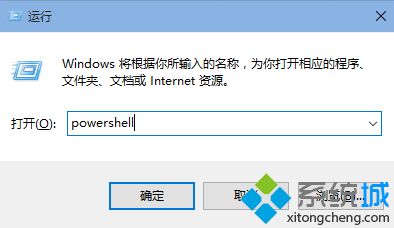
  1. 按 Win + R 輸入 powershell 並按 Enter(或右鍵開始按鈕選「執行」輸入)。
  2. 在視窗中貼上指令並按 Enter:
    Get-AppxPackage | % { Add-AppxPackage -DisableDevelopmentMode -Register "$($_.InstallLocation)AppxManifest.xml" -verbose }

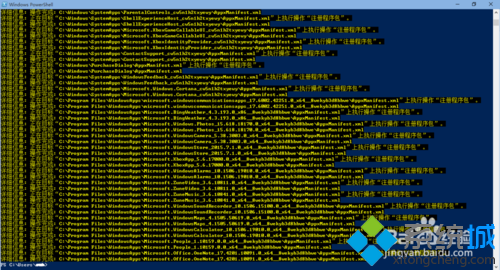
  3. 等待執行完成(畫面會滾動大量文字),完成後開始菜單恢復正常。

重要提醒:執行過程中必須確保「Windows 防火牆」服務(服務名 MpsSvc)處於啟動狀態,否則修復可能失敗。

Copyright © Windows教程網 All Rights Reserved