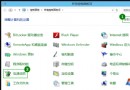
Windows 防火牆是系統內建的軟體防火牆,能依規則允許或阻擋網路傳輸,是保護電腦資訊安全的第一道防線。許多新手不曉得它藏在哪裡,以下提供最直觀的尋找與設定路徑。
透過「網路和共用中心」進入
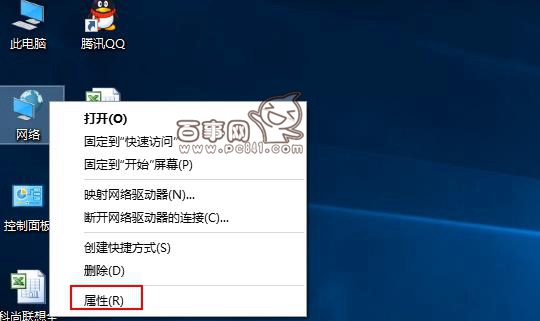
- 桌面右鍵點擊「網路」圖示(或工作列網路圖示右鍵),選擇「開啟網路和網際網路設定」或舊版控制台的「屬性」。
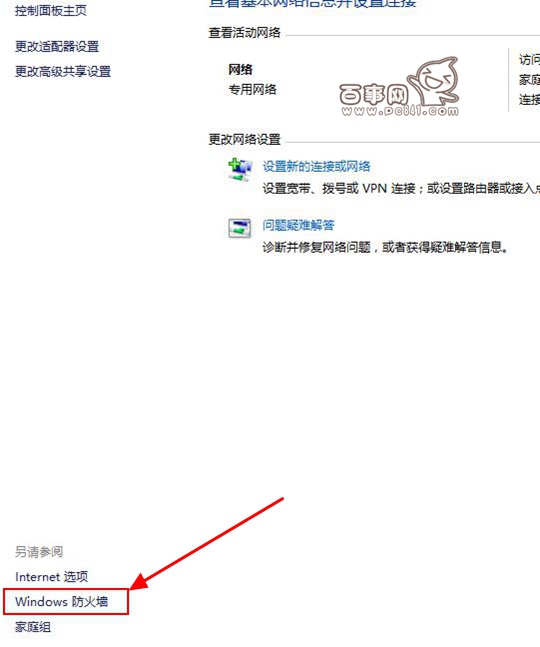
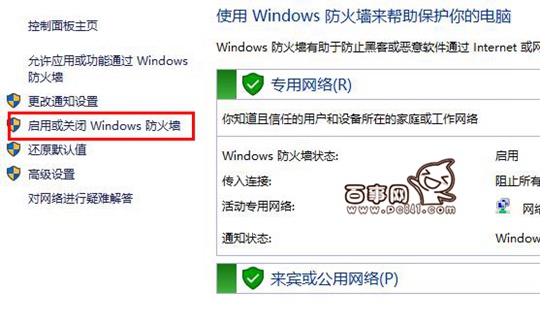
- 在開啟的視窗右下方找到並點擊「Windows 防火牆」。
- 左側選單選「開啟或關閉 Windows 防火牆」。
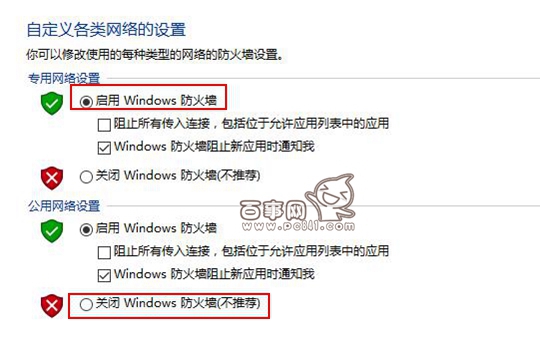
- 依需求勾選「開啟 Windows 防火牆」或「關閉 Windows 防火牆」(不建議長期關閉),點擊「確定」套用。
快速開啟替代指令
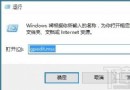
按 Win + R 輸入 firewall.cpl 直接開啟防火牆控制台,更加快速。
善用內建防火牆,無需額外安裝第三方軟體即可獲得基礎防護!