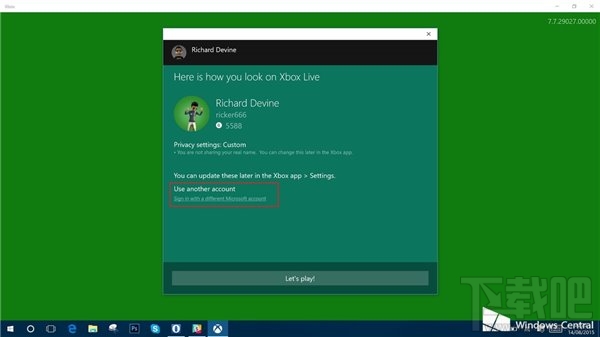
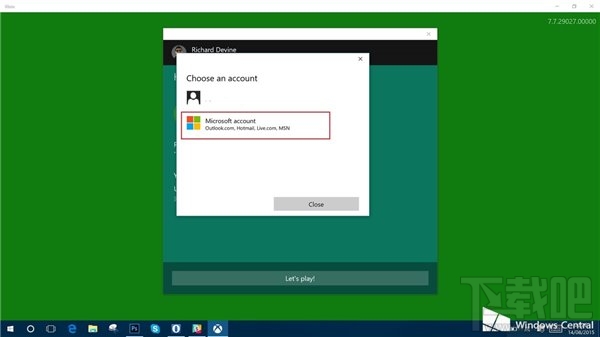
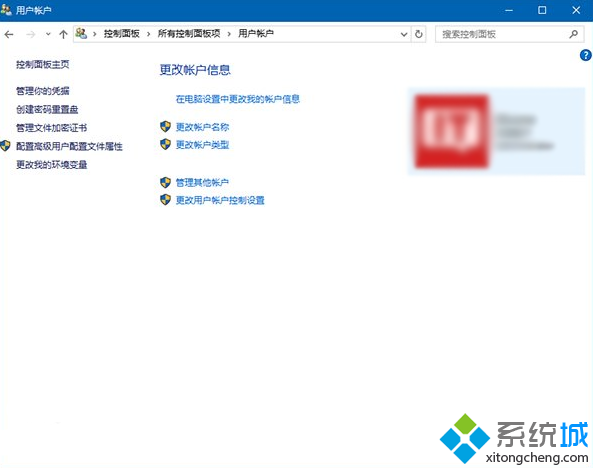
Xbox 應用登入時出現錯誤 0x800488AB,提示前往 Xbox.com 登入實際無效。正確修復:登入介面選擇「使用其他 Microsoft 帳戶」而非直接點選已有帳戶。
0x800488AB
帳戶權杖快取異常導致驗證失敗,重新啟動登入流程可重新獲取有效權杖。同類問題常見於 Microsoft Store、郵件與行事曆等 UWP 應用。
同法適用於 ID 23363 (Xbox 無法登入 0x800488AB) 相同錯誤碼情境。
Microsoft Edge 鍵盤快捷鍵完整速查表:28 個提升瀏覽效率的組合鍵
Win7 右鍵桌面彈出 igfxsrvc.exe 視窗且變慢?刪除登錄 ContextMenuHandlers 修復
Windows 10 9926 新版 F12 開發人員工具五大改進:UI、除錯、主控台、UI 回應、網路工具
Win10 新版 Microsoft Store Beta 無法開啟/閃退?清除 LocalState JSON 檔案秒修復
Win10 遙測資料收集等級調整與隱私保護設定
Win10 玩 CF 穿越火線:黑邊無法全螢幕 & 煙霧頭調整完整攻略
Win10 玩 CF 穿越火線無法全螢幕?五大解決方案逐一嘗試
Windows 10 如何將 Edge 設為預設瀏覽器?系統設定三步驟完成