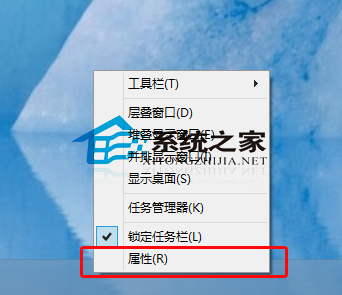
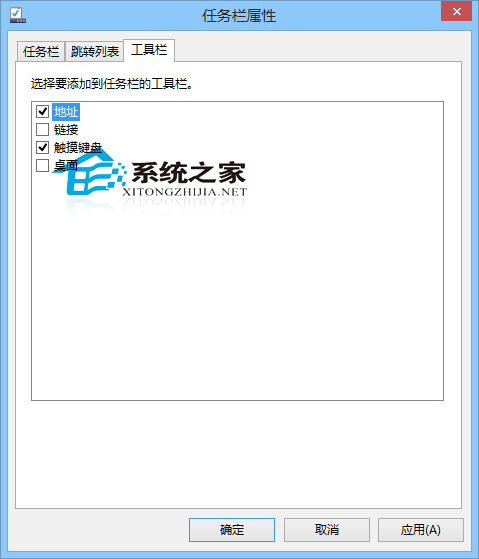
想直接在工作列輸入網址開啟網站?啟用「位址」工具列即可,效率大增。
注意:若工作列設為「自動隱藏」,輸入框也會隱藏,建議關閉自動隱藏 (參考「Win10 如何不讓工作列自動隱藏」) 以發揮最大效益。
Win10 如何開啟虛擬鍵盤 (觸控鍵盤/螢幕鍵盤)?兩種模式完整教學、快捷鍵、平板模式優化
Win 10 更新音效驅動出現 0x800705b4 錯誤?群組原則延長裝置安裝逾時時間修復
Win10 解除 Microsoft 綁定改用本機帳戶登入操作指南
Win10 修改「新建資料夾」預設名稱:登錄表自訂命名模板告別通用預設名
Win10 微軟拼音如何切換簡體/繁體中文?設定簡繁模式
Win 10 如何關閉自動更新?群組原則與停用服務兩大法(專業版/企業版適用)
Win10 TH1 無法升級 TH2 正式版?清理更新快取與重設 Windows Update 服務解決
Win10 顯示隱藏檔案:檔案總管「檢視」勾選隱藏的項目