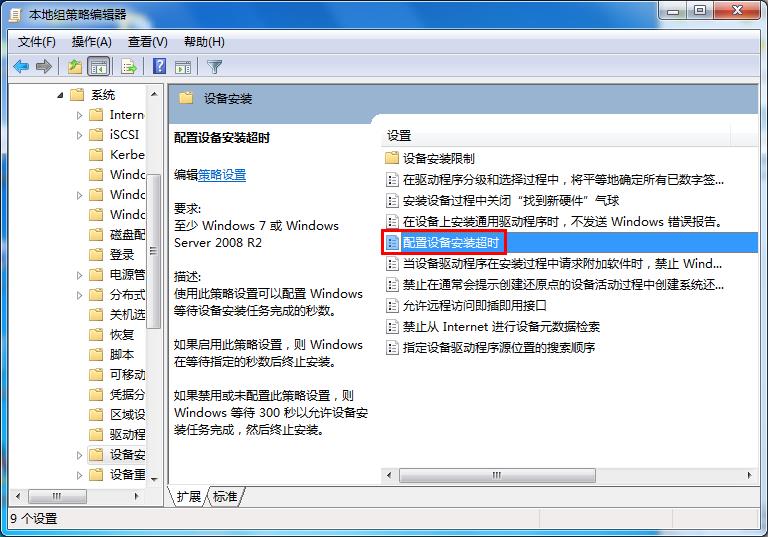
驅動更新報錯 0x800705b4 (逾時),延長安裝等待時間:
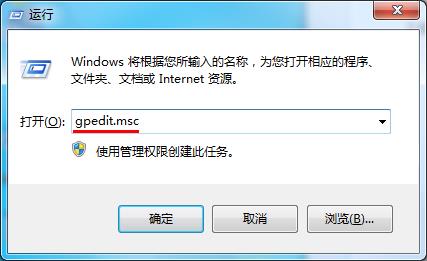
gpedit.msc
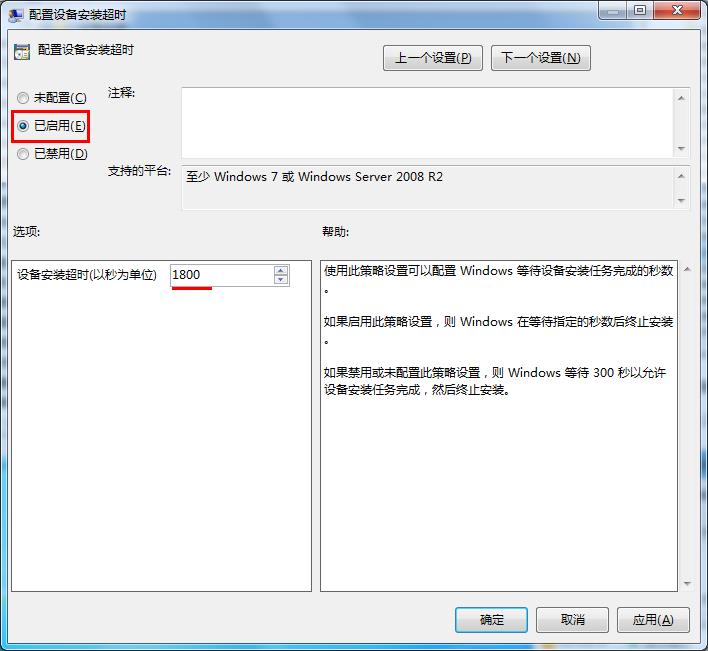
1800
預設逾時過短導致大型驅動 (如音效、顯卡) 安裝中斷,延長至 1800 秒即可避免誤判逾時。
Win10 文字檔修改後存不了?取消「唯讀」屬性秒解決
Win10 開始選單捷徑數量查詢:PowerShell 一行指令檢測是否超過 512 上限
Windows 10 如何更換滑鼠指標樣式?控制台滑鼠屬性一鍵套用方案
誤刪 $Windows.~BT 資料夾怎麼辦?重啟 wudfsvc 服務觸發重新下載
更新 Win10 後無法安裝 Ubuntu?EasyBCD 引導 ISO 映像檔安裝法完美解決雙系統共存
Win10 瀏覽器右下角彈出小廣告?結束「HyFamily」進程徹底淨化
Windows 10 關閉 Cortana 搜尋網頁內容提示設定教學
Windows 10 快速設定滑鼠指標大小與顏色:輕鬆存取功能完整指南