Windows XP Windows 7 Windows 2003 Windows Vista Windows 綜合教學 Linux 系統教學
Windows 10 Windows 8 Windows 2008 Windows NT Windows Server 電腦軟體教學

Win10 修改「新建資料夾」預設名稱:登錄表自訂命名模板告別通用預設名

編輯:Windows 10 系統介紹

Windows 新建資料夾/文字文件預設命名為「新建資料夾」、「新建文字文件」等,透過登錄表可自訂前綴或完整命名模板:

登錄表設定(建議先備份)

  1. Win+R → regedit。
  2. 導航至:
    HKEY_CURRENT_USER\SOFTWARE\Microsoft\Windows\CurrentVersion\Explorer
  3. 在 Explorer 下新建項目 NamingTemplates(若已存在則跳過)。
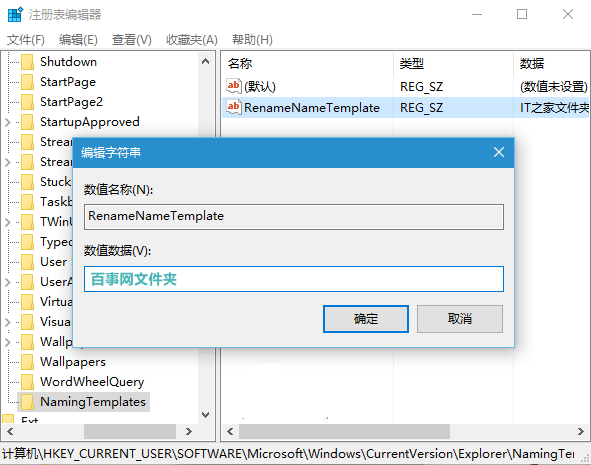
  4. 在 NamingTemplates 右側新建 字串值 (REG_SZ) 命名 RenameNameTemplate。
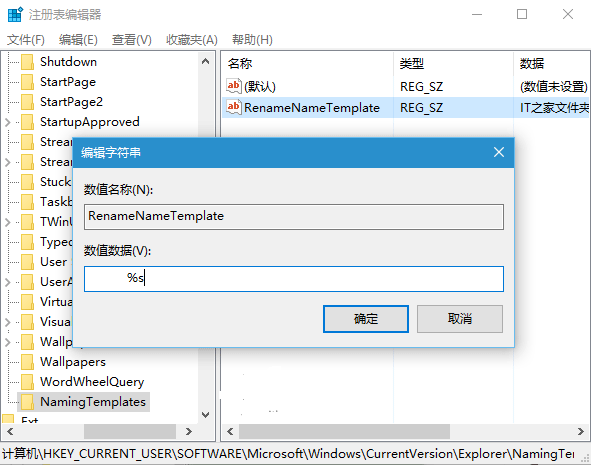
  5. 雙擊修改數值資料:
  • 固定名稱: 輸入 百事網資料夾 → 所有新建項目皆同名(不推薦)。
  • 萬用模板(推薦): 輸入 百事網%s → %s 會自動替換為系統預設類型名(如「新建資料夾」、「新建文字文件」),效果為「百事網新建資料夾」、「百事網新建文字文件」。
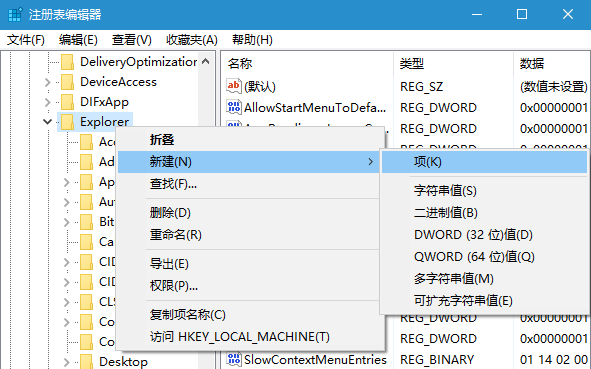
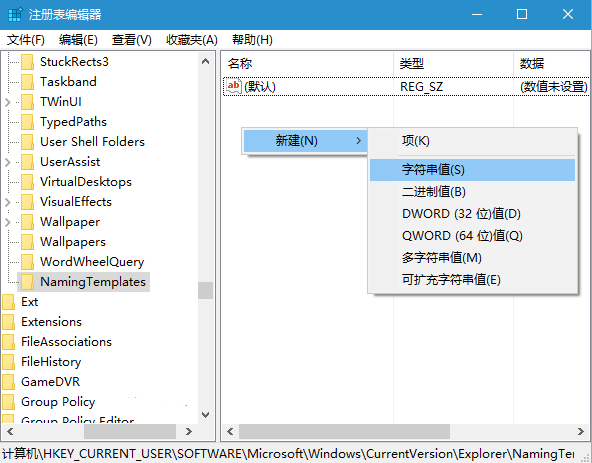
登錄表 NamingTemplates 項目 新建 RenameNameTemplate 字串值 固定名稱數值資料 萬用模板 %s 數值資料

適用 Windows 7/8.1/10。注意:系統預設類型名含「新建」二字無法透過此法移除。

Copyright © Windows教程網 All Rights Reserved