Win10 網路時好時壞、頻繁斷線重連,多半是網卡電源管理預設啟用省電導致。關閉即可穩定。
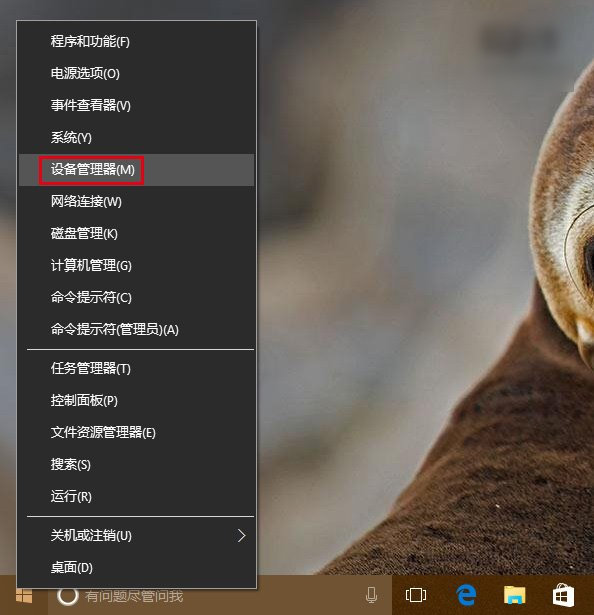
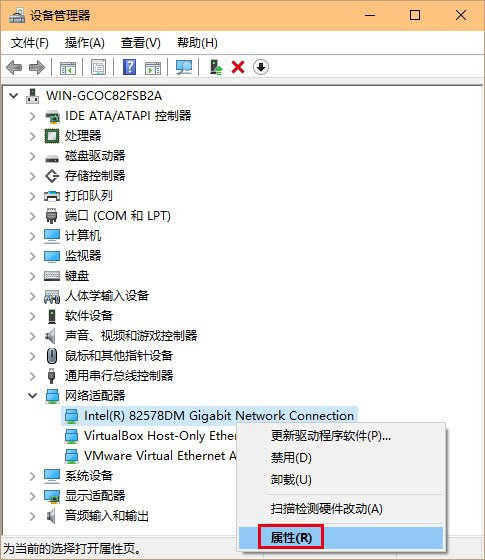
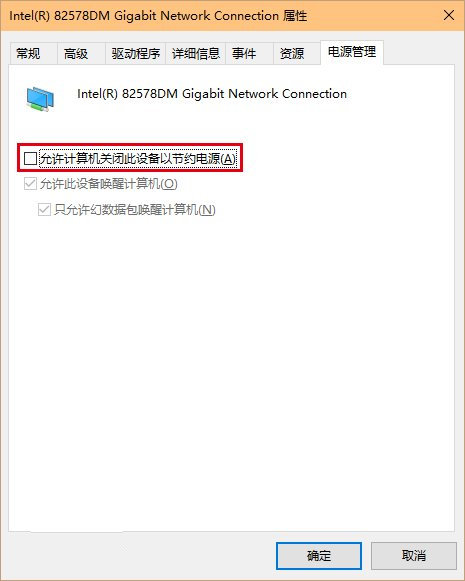
若無效:更新驅動、重設網路、執行「疑難排解」(工作列網路圖示右鍵)。

Win10 手動安裝 CAB/MSU 離線更新包完整指令教學:靜默安裝、免重啟、路徑參數詳解
Windows 10 建立透明資料夾隱藏隱私:無圖示 + 零寬度字元命名
Win10 更新錯誤 0x800706D9 修復:啟用 Internet Connection Sharing (ICS) 與 Windows Firewall 服務
Win10 安裝 .NET Framework 3.5 失敗 0x80070003?註冊表清理殘留帳戶或 DISM 離線安裝
Windows 10 小娜 (Cortana) 沒聲音/不說話?預設播放裝置設定修正
Win10 更新後不斷彈出事件檢視器?關閉 Windows Event Log 服務解決