Windows XP Windows 7 Windows 2003 Windows Vista Windows 綜合教學 Linux 系統教學
Windows 10 Windows 8 Windows 2008 Windows NT Windows Server 電腦軟體教學

Win10 安裝 .NET Framework 3.5 失敗 0x80070003?註冊表清理殘留帳戶或 DISM 離線安裝

編輯:Windows 10 系統介紹

Windows 10 安裝 .NET Framework 3.5 失敗報錯 0x80070003,常因註冊表 ProfileList 殘留已刪除帳戶 SID 導致。提供註冊表清理法與 DISM 離線安裝法兩種解決方案。

方法一:清理 ProfileList 殘留 SID

  1. Win+R → regedit。
  2. 定位 HKEY_LOCAL_MACHINE\SOFTWARE\Microsoft\Windows NT\CurrentVersion\ProfileList。
  3. 保留以下系統必要 SID:
    • S-1-5-18 (Local System)
    • S-1-5-19 (Local Service)
    • S-1-5-20 (Network Service)
    • S-1-5-21-... (目前登入使用者)
  4. 其他 S-1-5-21-... 開頭的項目為已刪除帳戶殘留,右鍵刪除(確認非目前使用者)。
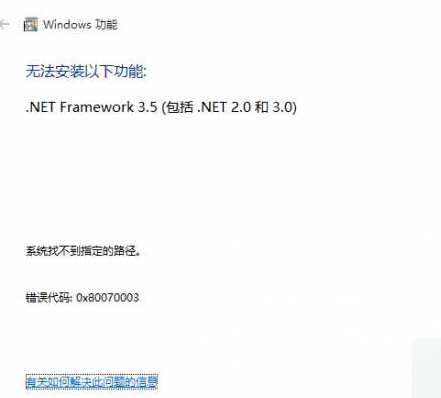
ProfileList 註冊表殘留 SID

方法二:DISM 離線安裝(安裝媒體必要)

  1. 掛載 Win10 ISO/安裝媒體,記下磁碟代號 (如 H:)。
  2. 以管理員身分執行 CMD/PowerShell 執行:
    Dism /online /enable-feature /featurename:NetFX3 /All /Source:H:\sources\sxs /LimitAccess


說明: .NET 3.5 為許多舊版應用程式運行必要元件。方法一解決註冊表殘留阻礙,方法二繞過 Windows Update 直接從安裝媒體 SXS 存儲安裝,成功率極高。
Copyright © Windows教程網 All Rights Reserved