部分筆電升級 Win10 後亮度鍵失效,可透過修改登錄值 FeatureTestControl 解決:
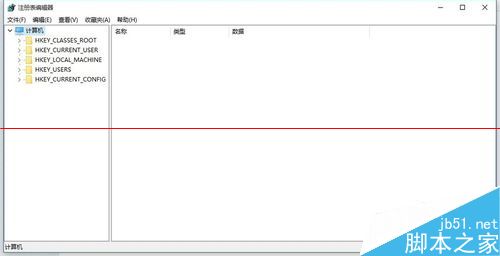
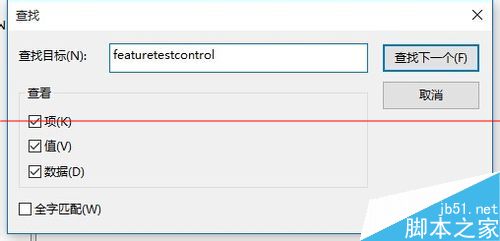
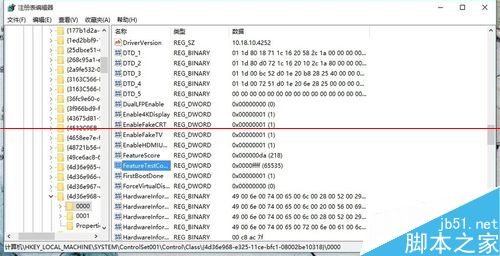
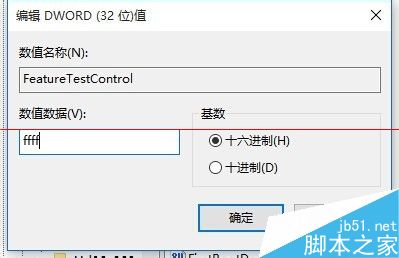
regedit 開啟登錄編輯器。FeatureTestControl(通常在 HKEY_LOCAL_MACHINE\SYSTEM\ControlSet001\Control\Class\{4d36e968-e325-11ce-bfc1-08002be10318}\0000 或類似路徑)。f000 改為 ffff。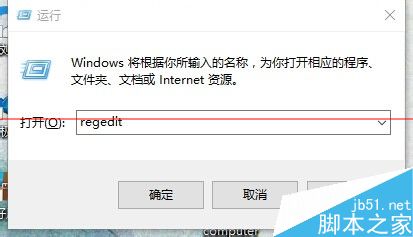
登入 QQ 後跳出升級 Win 10 提示?封鎖 WIN10TIPS0623V1.EXE 進程即可
Win10 右鍵選單反應慢、延遲嚴重怎麼辦?刪除 ContextMenuHandlers 多餘項目極速優化
Win10 如何關閉測試模式水印?BCD 指令關閉驅動程式強制簽名測試模式
Win10 忘記登入密碼:系統安裝媒體 + 登錄表離線掛載 cmdline=cmd.exe + SetupType=2 重設密碼 (僅本地帳號)
Win10 登錄編輯器右鍵「跳轉」功能:同名機碼間快速切換 (如 HKLM\SYSTEM ↔ HKCU\SYSTEM)