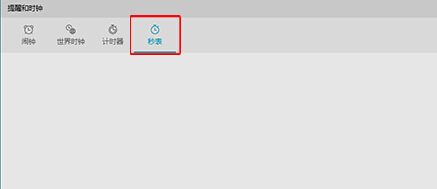
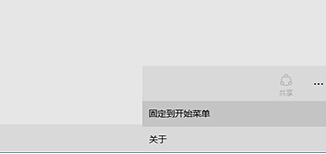
Windows 10 內建「鬧鐘與時鐘」應用包含碼錶、計時器、鬧鐘、世界時間。可將碼錶功能釘選到開始選單,一鍵開啟無需進入應用再切換分頁。
Windows 10 正式版預計 2015 年夏末秋初釋出
Windows 10 忘記 PIN 碼如何重設?Microsoft 帳戶驗證重設流程
Windows 10 刪除開始選單中無法移除的資料夾
Win10 Edge 瀏覽器淘寶無法關聯阿里旺旺?切換 IE 引擎或直接用 IE 登入解決
Win10 設定桌面背景自動輪播(投影片播放)完整步驟
Win10 10074 調整 DPI 縮放:登錄 Win8DpiScaling=1 + LogPixels 設定百分比
Win10 開機卡在「正在掃描和修復磁碟機」?chkdsk 掃描修復 + 磁碟清理解決
Win10 無法關機?關閉「快速啟動」後重新開啟即可修復