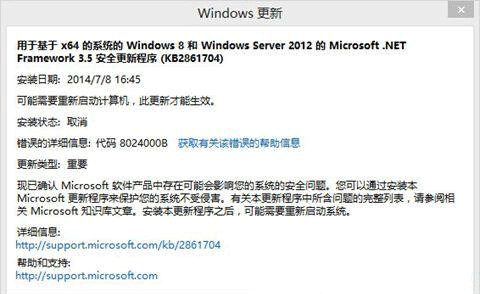
Windows Update 報錯 0x8024000B(無法讀取安裝所需檔案)。微軟官方提供單行指令重命名 Spupdsvc.exe 解決。
0x8024000B
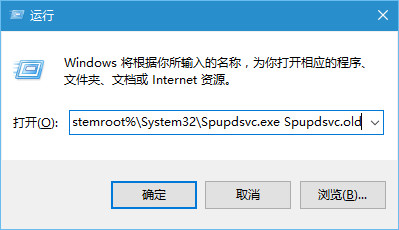
Spupdsvc.exe
Cmd /c ren %systemroot%\System32\Spupdsvc.exe Spupdsvc.old
此為微軟官方 KB 文件提供的標準解法,適用 Win7/8/10/11。
Win10 系統如何設定 IP Proxy 代理伺服器上網?系統級代理設定教學
Windows 10 Build 10568 更新內容總覽:穩定性修正與效能優化為主
Win10 PIN 碼複雜度怎麼設?群組原則啟用大小寫/符號/長度/過期/歷史記錄要求
Win10 資料夾圖示雙藍箭頭清除:同 ID 22475 取消壓縮/加密屬性
Win10 Charms 選單超級按鈕完整圖文教學 (同 ID 25040 內容)
Win 10 解鎖 Eva 語音合成引擎(英文女性聲音)註冊表法
Win10 工作列跑到螢幕右側?兩種方法快速還原至底部
Win10 無法識別 USB 裝置?三大修復方案