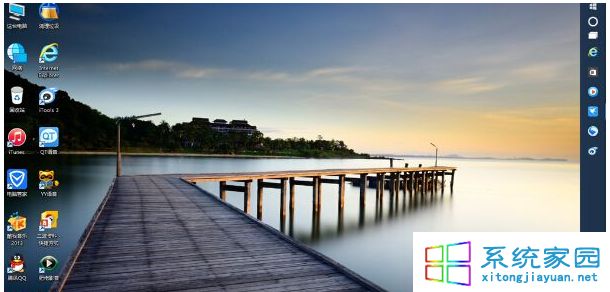
工作列誤移至螢幕右側,還原方法:
工作列位於右側示意
兩法皆可快速還原工作列位置。
Dism++ 系統優化工具 Win10 實戰指南:空間清理、啟動管理、ESD 轉 ISO 核心功能詳解
Win10 開始選單顯示個人照片:使用「照片磚塊」應用設定
Win10 顯示檔案副檔名兩法:檔案總管「檢視」勾選 / 資料夾選項取消「隱藏已知副檔名」
Win10 設置顯示器自動關閉時間:節能與護屏雙贏
Win10 微軟帳號找回關鍵:復原代碼設定與保管指南
Win10 無法關機/重開機四種替代解法
Win10 磁碟寫入快取啟用/停用:裝置管理員原則設定與效能權衡
Win10 免打擾模式 (專注助手) 完整教學:一鍵開啟、排程自動、遊戲模式應用