XP 雖漸退主流,仍有大量裝機存續。三個簡單批次指令,即可清理系統備份、移除內建 ZIP 支援、縮短開機磁碟掃描等待,立即體感加速。
執行 → 輸入 sfc.exe /purgecache → Enter。XP 內建備份功能不完善,建議改用 Ghost/影像備份,此快可放心刪除。
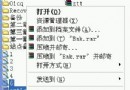
執行 → 輸入 regsvr32 /u zipfldr.dll → Enter。現代電腦幾乎皆裝 WinRAR/7-Zip,內建 ZIP 僅佔資源且右鍵選單延遲。
執行 → 輸入 chkntfs /t:0 → Enter。預設 10 秒倒數歸零,非正常關機後直接進入掃描,省下每次開機的等待時間。
三指令、不到一分鐘,XP 開機與執行明顯輕快。建議製作 .bat 檔備用,重灌後一鍵套用。