安裝 Disklogon,設定隨身碟為登入金鑰:插上隨身碟自動登入/解鎖,拔除隨身碟自動鎖定/登出/關機,且可禁止帳號密碼備用登入,安全性大幅提升。
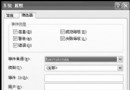
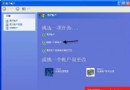
Disklogon Options 進入設定介面。Options/Disklogon/Disks → 僅勾選隨身碟代號(如 L:)。Options/DiskLogon/General →Disk removal behavior:選「Lock computer when the disk is removed」(拔除鎖定)或「Log off...」。Log on to Windows:選「Log on when disk is connected」(插入自動登入)。Unlock computer:選「Unlock computer when the disk is connected」。Allow users to type their username and password...,徹底禁用密碼備用登入。User Accounts 標籤 → Change Logon information → Change → 選隨身碟 → 選 ID(如 01) → Create New → 輸入帳號密碼 → 可勾選強力加密 → 完成。logon.dln 檔案(金鑰指紋),絕不可刪除,否則無法登入。將隨身碟升級為實體安全金鑰,適合需高安全性的行動辦公/共用電腦環境。