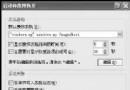
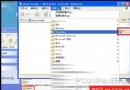
安裝 Vista Transformation Pack、Vista 介面模擬器等主題包後,重開機不但沒 Vista 風格,反而被強制切換為「Windows 傳統樣式」,且「顯示屬性 → 主題」無法切換任何系統主題。
uxtheme.dll 簽章驗證機制XP 只載入微軟數位簽章的主題 DLL。第三方主題需修改系統檔 %SystemRoot%\System32\uxtheme.dll 移除簽章檢查,才能載入未簽名的 .msstyles。
copy %SystemRoot%\System32\uxtheme.dll %SystemRoot%\System32\uxtheme.dll.bakuxtheme.dll patched,確認版本號與系統一致,如 6.0.2900.5512 对应 SP3)
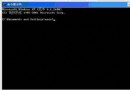
3. 進入安全模式(或用 PE/安裝光碟修復主控台)替換:copy uxtheme.dll_patched %SystemRoot%\System32\uxtheme.dll
4. 重開機 → 重新套用主題包 → 成功。
SHELL32.dll / USER32.dll 版本不符導致「無效的系統 DLL 重定位」部份主題包安裝程式會強制替換這兩支核心 DLL,導致計算機、第三方軟體啟動報錯。修復步驟:
\I386\ 找 USER32.DL_、SHELL32.DL_expand 解壓:expand USER32.DL_ %TEMP%\user32.dll%SystemRoot%\System32\ 同名檔