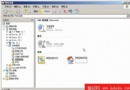
系統檔案檢查器 (sfc.exe) 可驗證受保護系統檔案版本、修復損壞檔案、管理 %SystemRoot%\System32\Dllcache 快取。啟動方式:Win+R → cmd → 輸入 sfc 參數。
sfc.exe
%SystemRoot%\System32\Dllcache
cmd
sfc
若 Dllcache 資料夾損壞或遺失,使用 /scanonce 或 /scanboot 可重建內容,確保系統穩定。Win98 可在「系統資訊」→「工具」→「系統檔案檢查器」執行同類功能。
Dllcache
/scanonce
/scanboot
Windows「執行」命令大全:快速呼叫系統工具的鍵盤捷徑
XP 掃描出現「Epson Scan 無法啟動」原因分析:驅動安裝錯誤與通訊異常
不換硬體也能飛:軟體調校全面加速 Windows XP
Windows XP SP2 常見問題 10 大 Q&A 完整解答
Windows XP 系統備份與還原完整解決方案:從系統還原點到第三方工具
Windows XP 故障修復主控台:進階指令實戰與安裝/移除教學
Windows XP 完全移除 Internet Explorer 8 並回滾 IE7 的四種方法
調整 Windows XP 登錄極速上網:DefaultTTL、TCP 視窗、SACK、PMTU 等關鍵參數優化