Windows XP Windows 7 Windows 2003 Windows Vista Windows 綜合教學 Linux 系統教學
Windows 10 Windows 8 Windows 2008 Windows NT Windows Server 電腦軟體教學

Windows XP/2003 自訂「開啟/另存新檔」對話框常用位置欄:群組原則設定

編輯:XP 系統基礎知識

「開啟」/「另存新檔」對話框左側五個快速定位按鈕(我的文件、桌面、我的電腦等)可透過群組原則自訂:

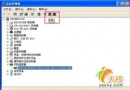
  1. 執行 gpedit.msc 開啟群組原則編輯器。
  2. 依序展開:「使用者設定」→「管理範本」→「Windows 元件」→「Windows 檔案總管」→「通用開啟檔案對話方塊」。
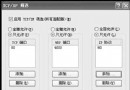
  3. 雙擊右側「位置欄中顯示的項目」→「設定」頁籤選「已啟用」。
  4. 在「項目 1」~「項目 5」輸入欲顯示的路徑,支援三種格式:
    • 本地資料夾:C:\Windows
    • 網路共享:\\Server\Share
    • 系統特殊資料夾:My Documents、My Pictures、My Computer、My Network Places、Desktop、Common Documents 等。
  5. 「套用」→「確定」,無需重開機即時生效。
進階選項: 同層級尚有「隱藏公用對話方塊的位置欄」、「隱藏公用對話方塊中的上一步」、「隱藏最近造訪過的資料夾」,啟用後可分別隱藏左側欄、向上一層按鈕、最近資料夾下拉清單。若要恢復預設,將「位置欄中顯示的項目」設為「未配置」或「已停用」。

Copyright © Windows教程網 All Rights Reserved