實現「無專屬 USB 即關機」的防盜/隱私保護:
123.lj
auto.bat
if not exist I:\123.lj shutdown -s -t 10 -c "您無法使用此電腦"
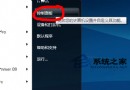
gpedit.msc
應急解鎖:
shutdown -a
⚠ 設定前務必確認磁碟代號正確,否則系統將無法啟動。
WinXP 安裝軟體/驅動提示「read pcsc drive error」?啟用 Smart Card 服務解決
WinXP 建立寬頻連線「需要使用者名稱和密碼」灰色不可選?一鍵修復
WinXP 開機出現 "Inconsistent filesystem structure" 無法啟動?MBR 修復全攻略
Windows XP 如何更改檔案副檔名?顯示副檔名完整圖文教學
低階格式化拯救硬碟?詳解原理、風險與實操全攻略
四分之三 Rootkit 感染源自 Windows XP,盜版未修補系統成重災區
揭開駭客神秘面紗:初階駭客必備五大核心技能全解析
XP 開機加速五大絕招:關閉網路共享、自動搜尋、DHCP 等隱形拖油瓶