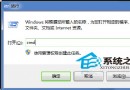
無法改變真實時間,但可透過優化電腦操作獲得更多「有效時間」。從 BIOS 開始:
- 關閉軟碟機偵測:BIOS → Standard CMOS Features → Drive A/B 設為 None,Floppy 3 Mode Support → Disabled。
- 硬碟優先啟動:Advanced BIOS Features → First Boot Device 設為 HDD-0,避免光碟/軟碟優先查詢。
- 啟用快速自我檢測:Quick Power On Self Test → Enabled,跳過重複檢測。
(原文續有後續頁面,涵蓋系統層面優化)