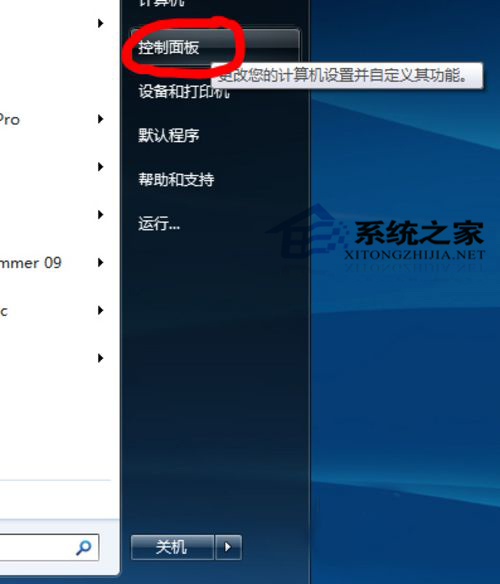
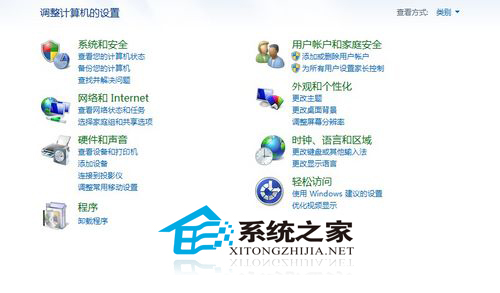
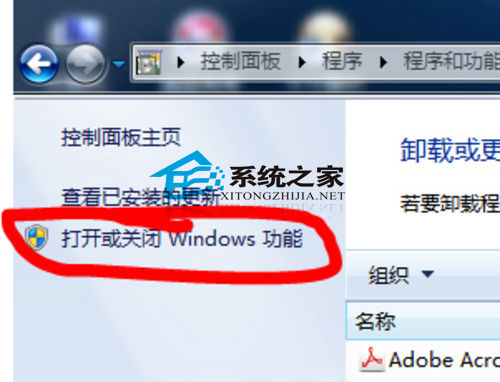
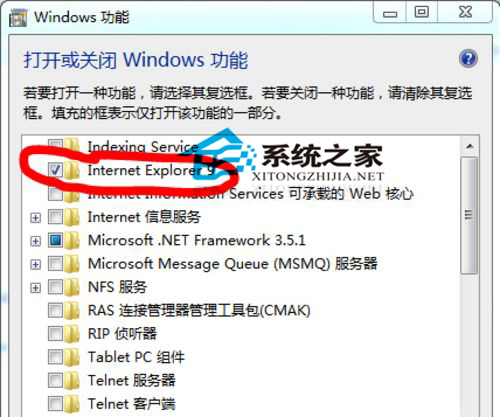
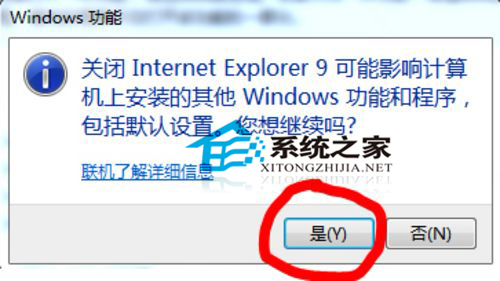
IE 瀏覽器是 Windows 內建元件,無法像一般軟體直接從「新增/移除程式」解除安裝。本文說明透過「開啟或關閉 Windows 功能」移除 IE 9 的完整流程,並提醒移除後可能影響相依應用程式。
建議下載:WinXP 急速體驗版
注意:移除 IE 可能導致 Windows Update、說明與支援中心等相依功能異常,建議改用 Chrome/Firefox 等現代瀏覽器作為主力,保留 IE 元件以維持系統相容性。
Windows 更換開機/關機音樂教學:支援 WAV 格式、可替換系統預設檔
Windows XP 「作業無法完成,列印背景程序服務未執行」?電腦管理啟動 Print Spooler 服務完整圖文
IE 7 經典快速鍵大全:提升瀏覽效率的必備指南
Windows XP 經典網際網路四大問題解決:IP設定、JPEG儲存、未讀郵件、IE6重裝
XP 系統安全十大鐵律:從分區格式到權限管理的完整防護
資料夾內容沒有「安全性」索引標籤?兩大原因與解決法
PPT 內容快速轉 Word 四大絕招:大綱視圖、發送功能、RTF 輸出、專用工具
PowerPoint 批量複製投影片神器:「投影片搜尋器」一鍵匯入多檔案