Windows XP Windows 7 Windows 2003 Windows Vista Windows 綜合教學 Linux 系統教學
Windows 10 Windows 8 Windows 2008 Windows NT Windows Server 電腦軟體教學

Windows XP 禁用「資料夾選項」防止他人竄改檔案顯示設定:群組原則 3 步驟

編輯:XP 系統應用技巧

「資料夾選項」可控制隱藏檔案、副檔名、系統檔案顯示等,被他人惡意修改會造成檔案「消失」或誤執行惡意程式。透過群組原則 3 步驟移除「工具」選單中的「資料夾選項」,杜絕風險。

操作步驟

  1. Win+R → gpedit.msc 開啟群組原則編輯器。
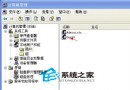
  2. 依序展開:使用者設定 → 系統管理範本 → Windows 元件 → Windows 檔案總管。
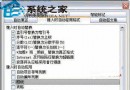
  3. 雙擊「從工具選單移除資料夾選項」→ 選「已啟用」→「確定」。

效果

  • 資源管理器「工具」選單不再顯示「資料夾選項」。
  • 控制台「資料夾選項」圖示仍存在(屬不同路徑),若需一併隱藏可進一步設定「控制台」相關原則。
  • 管理員仍可透過 gpedit.msc、regedit、rundll32.exe shell32.dll,Options_RunDLL 0 存取設定。

登錄對應值(Home 版/批次部署)

reg add "HKCU\Software\Microsoft\Windows\CurrentVersion\Policies\Explorer" /v NoFolderOptions /t REG_DWORD /d 1 /f

重啟 Explorer 或重新登入生效。


禁用「資料夾選項」是公用/共用電腦的基本資安設定,配合「隱藏副檔名」強制顯示、「隱藏受保護系統檔案」強制勾選,構建基礎防禦三角。

Copyright © Windows教程網 All Rights Reserved