Win8/8.1 遠端桌面預設要求「網路層級驗證 (NLA)」,但 XP 內建遠端桌面客戶端 (mstsc 5.1) 不支援 NLA,導致連線失敗。透過登錄檔在 LSA 安全性套件中加入 tspkg,並在 SecurityProviders 加入 credssp.dll,即可讓 XP 支援 NLA 並成功連線 Win8/8.1。
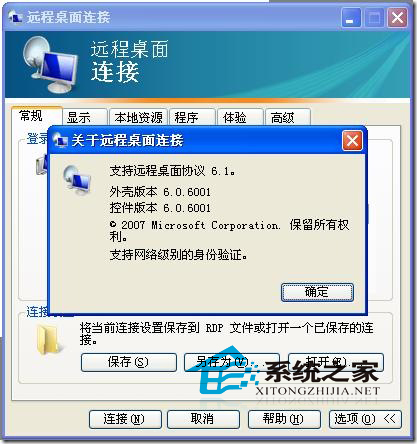
regedit,展開:HKEY_LOCAL_MACHINE\SYSTEM\CurrentControlSet\Control\Lsa → 雙擊 Security Packages → 在最後新增一行 tspkg → 確定。HKEY_LOCAL_MACHINE\SYSTEM\CurrentControlSet\Control\SecurityProviders → 雙擊 SecurityProviders → 在數值資料末尾加入 , credssp.dll(逗號後有空格) → 確定。此修正讓 XP 的 CredSSP 提供者載入 tspkg 套件,支援 NLA 協商流程,無需升級至 mstsc 6.0 以上版本。