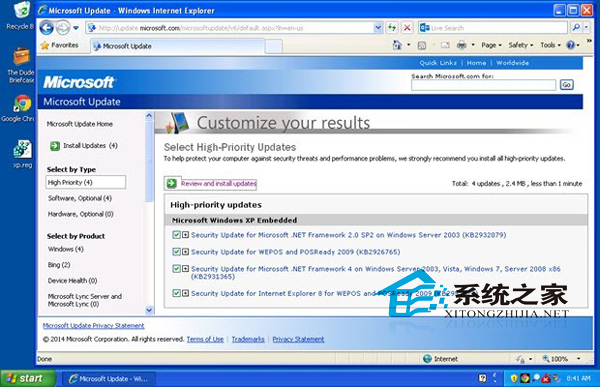
XP 於 2014/4/8 結束支援,但嵌入式版本 POSReady 2009 (32 位元) 延長支援至 2019/4/9。透過登錄檔新增 HKEY_LOCAL_MACHINE\SYSTEM\WPA\PosReady 鍵值 Installed=1,欺騙 Windows Update 伺服器認為系統為 POSReady,繼續接收安全性更新。64 位元 XP 需手動下載更新套件、修改 update_SP2QFE.inf 移除架構檢查區塊後以指令安裝,流程較複雜。
Windows Registry Editor Version 5.00

[HKEY_LOCAL_MACHINE\SYSTEM\WPA\PosReady]
"Installed"=dword:00000001
存為 xp.reg 雙擊匯入,重開機後執行 Windows Update 即可看到新補丁。
C:\xpupdate。update.cmd 批次檔:備份原 update_SP2QFE.inf → 以修改版覆蓋 → 執行 update.exe /passive /norestart /log:c:\xpupdate\install.log → 還原原 inf 檔。new_update_SP2QFE.inf 需刪除 Condition=AndOp,Prereq.XPAMDInstallBlock.Section 及整個 [Prereq.XPAMDInstallBlock.Section] 區塊。update.cmd,查看 install.log 確認成功後重開機。重要提醒:微軟已停止 XP 主流支援,此類更新未經完整驗證,可能導致系統不穩定或相容性問題,生產環境建議升級至支援中作業系統。