Windows XP Windows 7 Windows 2003 Windows Vista Windows 綜合教學 Linux 系統教學
Windows 10 Windows 8 Windows 2008 Windows NT Windows Server 電腦軟體教學

Windows XP「資料夾選項」從工具選單消失?群組原則一鍵恢復

編輯:XP 系統應用技巧

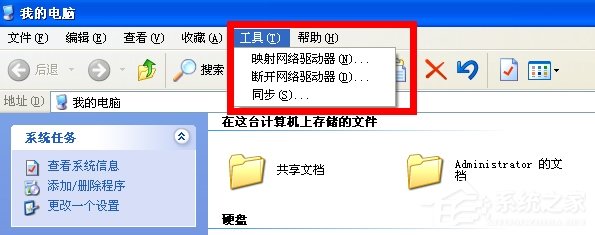
XP 「我的電腦」→「工具」選單中「資料夾選項」不見,通常是惡意軟體修改群組原則或登錄檔所致。透過 gpedit.msc 即可恢復。

恢復步驟

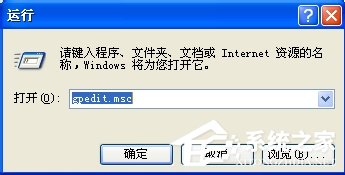
  1. Win+R → 輸入 gpedit.msc → Enter
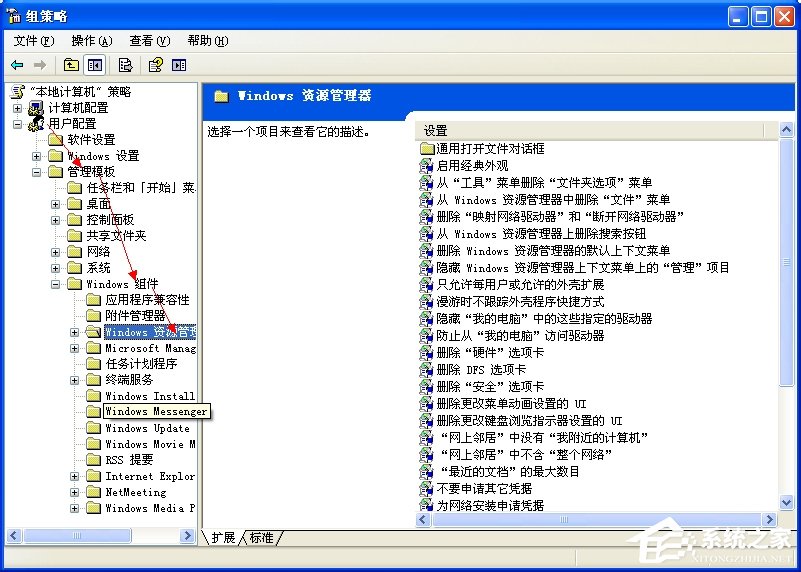
  2. 依序展開:
    使用者設定 → 系統管理範本 → Windows 元件 → Windows 檔案總管
  3. 右側找到 「從『工具』選單移除『資料夾選項』選單項目」
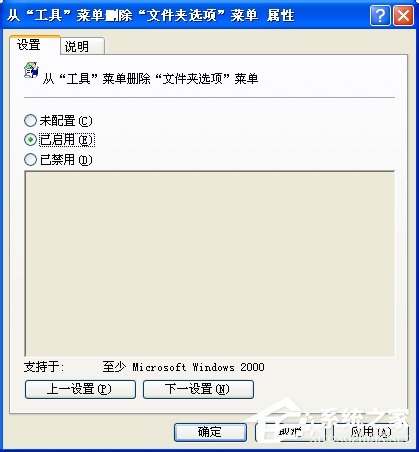
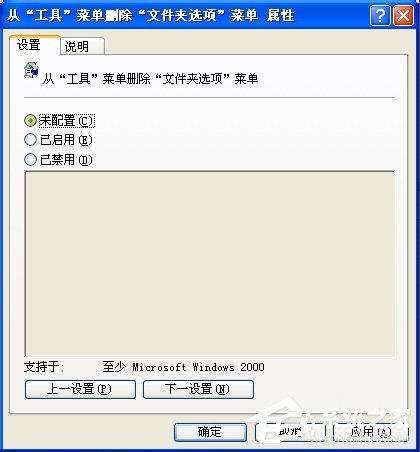
  4. 雙擊開啟 → 選擇 「未設定」 或 「已停用」 → 「確定」
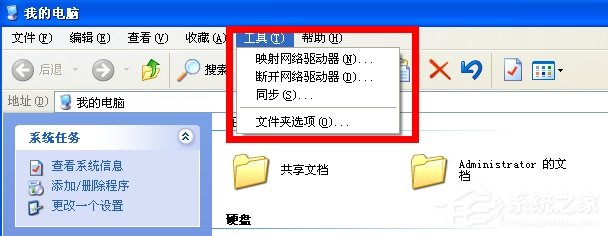
  5. 重新開啟「我的電腦」→「工具」,選單已恢復
資料夾選項消失
執行 gpedit.msc
群組原則路徑
雙擊設定項目
選擇未設定
工具選單恢復

登錄檔替代法(無 gpedit.msc 的家庭版)

  1. Win+R → regedit
  2. 定位:HKEY_CURRENT_USER\Software\Microsoft\Windows\CurrentVersion\Policies\Explorer
  3. 右側找到 NoFolderOptions → 刪除或設為 0
  4. 重開機或重啟 explorer.exe 生效
「資料夾選項不見別慌,群組原則或登錄檔一鍵找回,並檢查是否中毒。」
Copyright © Windows教程網 All Rights Reserved