Windows XP 登錄編輯器預設記住上次位置。若習慣從根鍵開始瀏覽,可清除 LastKey 並鎖定權限,強制每次啟動皆在根鍵。本文提供完整操作與原理說明。
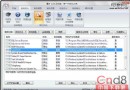
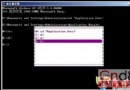
regedit → HKEY_CURRENT_USER\Software\Microsoft\Windows\CurrentVersion\Applets\Regedit。LastKey 決定定位分支。LastKey,維持根鍵啟動狀態。以另一管理員帳號登入,或使用 regini、subinacl、SetACL 等工具重置 Regedit 鍵值權限為「允許」。
ResetLastKey.reg:Windows Registry Editor Version 5.00
[HKEY_CURRENT_USER\Software\Microsoft\Windows\CurrentVersion\Applets\Regedit]
"LastKey"=-
gpedit.msc → 使用者設定 → Windows 設定 → 指令碼(登入/登出) → 登入 → 新增 → 指令碼名稱:regedit.exe /s "路徑\ResetLastKey.reg"。Windows XP / Server 2003 / Vista / 7 / 8 / 10 / 11 路徑相同,權限鎖定邏輯通用。