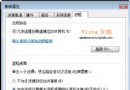
筆記本升級到 2GB 記憶體,BIOS 與檢測軟體都看得到 2GB,但 Windows 7 系統資訊卻顯示「可用 1GB」。這通常是因為曾用優化軟體限制了最大記憶體,導致系統啟動時被鎖死上限。
快速修復步驟
- Win+R 輸入
msconfig 開啟「系統設定」。
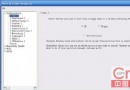
- 切換「開機」索引標籤 → 按「進階選項」。
- 取消勾選「最大記憶體」,或依實際容量輸入(2GB 輸入 2048)。
- 確定 → 套用 → 重新開機。



適用情境
- 早期 1GB 升級 2GB,曾用優化軟體調整記憶體參數未改回。
- 系統顯示「安裝記憶體 X GB (可用 Y GB)」且 Y < X。
一分鐘搞定,被「吞噬」的記憶體立刻歸位,系統流暢度即時提升!