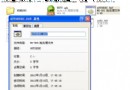
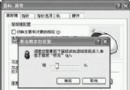
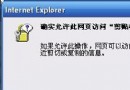
每次開機出現「boot.ini 非法,系統從 d:\windows 啟動」,隨後正常進入系統。主因:曾安裝雙系統並手動編輯 boot.ini 遺留錯誤參數。Windows 已在 C:\Windows\pps\boot.ini.backup 保留備份,覆蓋即可修復。
boot.ini.backup(通常在 C:\Windows\pps\ 或 C:\)。boot.ini,覆蓋 C: 根目錄下的同名檔案。[boot loader]
timeout=30
default=multi(0)disk(0)rdisk(0)partition(1)\WINDOWS
[operating systems]
multi(0)disk(0)rdisk(0)partition(1)\WINDOWS="Microsoft Windows XP Professional" /noexecute=optin /fastdetect
timeout:選單等待秒數。default:預設開機項目 ARC 路徑。multi(0)disk(0)rdisk(0)partition(1):第一顆硬碟第一分區。/noexecute=optin:DEP 資料執行保護模式。若無備份檔,可用 XP 安裝光碟進入「修復模式」(R 鍵),執行:
bootcfg /rebuild
自動掃描安裝的 Windows 並重建 boot.ini。
bootcfg /copy 備份正常 boot.ini 至其他位置。C:\boot.ini 屬性為「唯讀、隱藏、系統」,防誤修改。