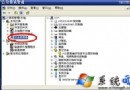
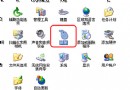
Win7/Vista/XP 安裝後桌面無 IE 捷徑。用「傳送到桌面捷徑」建立的捷徑缺少右鍵「內容」→「Internet 選項」頁籤。
IE8.reg,貼上以下內容 (系統盤非 C: 請自行修改路徑):Windows Registry Editor Version 5.00
[HKEY_LOCAL_MACHINE\SOFTWARE\Microsoft\Windows\CurrentVersion\Explorer\Desktop\NameSpace\{00000000-0000-0000-0000-100000000001}]
@="Internet Explorer"
[HKEY_CLASSES_ROOT\CLSID\{00000000-0000-0000-0000-100000000001}]
@="Internet Explorer"
[HKEY_CLASSES_ROOT\CLSID\{00000000-0000-0000-0000-100000000001}\DefaultIcon]
@="C:\\Windows\\System32\\ieframe.dll,-190"
[HKEY_CLASSES_ROOT\CLSID\{00000000-0000-0000-0000-100000000001}\shell]
@=""
[HKEY_CLASSES_ROOT\CLSID\{00000000-0000-0000-0000-100000000001}\shell\NoAddOns]
@="無加載項啟動(&N)"
[HKEY_CLASSES_ROOT\CLSID\{00000000-0000-0000-0000-100000000001}\shell\NoAddOns\Command]
@="\"C:\\Program Files\\Internet Explorer\\iexplore.exe\" -extoff"
[HKEY_CLASSES_ROOT\CLSID\{00000000-0000-0000-0000-100000000001}\shell\Open]
@="開啟首頁(&H)"
[HKEY_CLASSES_ROOT\CLSID\{00000000-0000-0000-0000-100000000001}\shell\Open\Command]
@="\"C:\\Program Files\\Internet Explorer\\iexplore.exe\""
[HKEY_CLASSES_ROOT\CLSID\{00000000-0000-0000-0000-100000000001}\shell\Set]
@="屬性(&R)"
[HKEY_CLASSES_ROOT\CLSID\{00000000-0000-0000-0000-100000000001}\shell\Set\Command]
@="\"C:\\Windows\\System32\\rundll32.exe\" C:\\Windows\\System32\\shell32.dll,Control_RunDLL C:\\Windows\\System32\\inetcpl.cpl"
IE8.reg 匯入登錄。註冊一個命名空間擴充套件 (CLSID\{...}) 到桌面命名空間,定義圖示、右鍵選單命令 (開啟首頁、無附加元件、屬性)。rundll32.exe shell32.dll,Control_RunDLL inetcpl.cpl 直接喚起「Internet 選項」頁籤。
註:Win10/11 已移除 IE,改用 Edge,此法不適用。