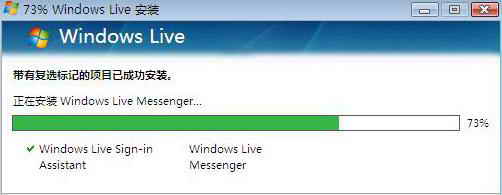
若安裝 MSN 8.5 前曾安裝其他版本/語言版 MSN,殘留的安裝暫存資料會導致新版安裝程式解壓縮/安裝失敗,報錯無法繼續。
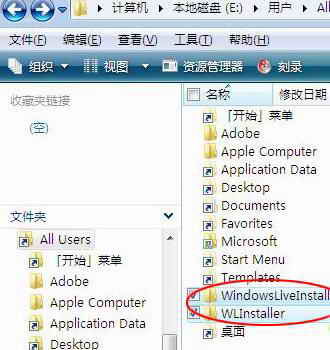
C:\Users\您的帳號
WindowsLiveInstaller
WLInstaller
💡 原理:MSN 安裝程式會在使用者設定檔建立暫存資料夾記錄安裝狀態、下載檔案。舊版本殘留資料與新版安裝邏輯衝突,清除後安裝程式視為全新安裝,問題即解。
Vista/Windows 7 4GB 以上記憶體不穩定根因與解決方案:主板 BIOS 更新與 32 位元系統巧用大記憶體
Vista 軟體相容性問題一招搞定:內建相容模式設定教學
Vista 磁碟管理工具無損分區完整教學:壓縮 C 構建 D 擴展分區
Vista CPU 長期 100%?元兇是 TrustedInstaller.exe(Windows 模組安裝程式)
Vista 資源管理器 CPU 佔用 90%+ 根因與對策
Vista 小鍵盤輸入數字失效、NumLock 亮卻無用?「輕鬆存取中心」關閉滑鼠鍵即解
Vista 完整硬碟安裝指南:從 XP 環境免光碟部署 Vista 圖文教學
Vista 無法上網?網路連線顯示「未知」且依賴服務無法啟動的快速修復