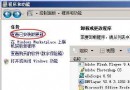
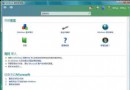
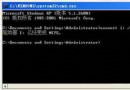
啟動登錄表編輯器 (regedit),定位至:
HKEY_CURRENT_USER\Software\Microsoft\Windows\CurrentVersion\Policies\Explorer
在 Explorer 子項下新建「DWORD (32 位元) 值」,命名為 NoControlPanel,數值資料設為 1。登出或重啟後,「控制台」將從開始選單消失,右鍵點擊「電腦」→「屬性」亦會提示受限。
同樣在 Explorer 子項下:
DisallowCpl = 1,再新建同名子項 DisallowCpl,其下新建字串值 1 = intl.cpl(區域與語言選項將隱藏)。RestrictCpl = 1,新建子項 RestrictCpl,其下新建字串值 1 = intl.cpl(僅顯示區域與語言選項,其他隱藏)。定位至 HKEY_CURRENT_USER\Software\Policies\Microsoft,新建子項 Internet Explorer → Control Panel。在其下新建 DWORD 值 generaltab = 1 隱藏「一般」分頁,或 securitytab = 1 隱藏「安全性」分頁。
在 Explorer 子項下新建 DWORD 值 NoFolderOptions = 1,重啟後控制台中將不見「資料夾選項」。
在 Explorer 子項下新建 DWORD 值 NOaddPrinter = 1,重啟後雖可點擊「新增印表機」但會彈出禁止提示。
Vista 支援遠程桌面,但預設埠 3389 極易遭掃描攻擊。修改方法:
regedit,定位至:HKEY_LOCAL_MACHINE\SYSTEM\CurrentControlSet\Control\Terminal Server\WinStations\RDP-TcpPortNumber (REG_DWORD),雙擊修改為 1024~65535 之間的任意埠號(如 2007、2038),避免與系統保留埠衝突。192.168.1.5:2007。
清除 Vista 巨大的休眠檔案 hiberfil.sys 釋放 C 槽空間
Windows Vista 內建「前一版本」防刪除系統:基於 VSS 技術的檔案時光機
Vista 限制只能使用指定的 USB 隨身碟,其他全部封鎖
教你在 Vista 系統下安裝 XP/2003 實現多重開機
Windows Vista 各版本最大支援記憶體容量完整對照表
Vista 檔案關聯設定藏哪了?「預設程式」一站式管理取代資料夾選項
解決 Vista 系統磁碟空間緊張:離線檔案快取移至非系統磁碟
Windows Vista 優化後常見四大故障與修復:TCP/IP 修改導致開機失敗、USB 無法識別、混合睡眠消失、補丁安裝失敗