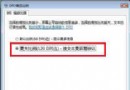
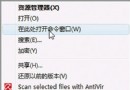
Vista 的休眠功能會在系統碟建立 hiberfil.sys,大小等同實體記憶體(如 4GB 記憶體即佔 4GB)。若不使用休眠,可關閉功能並刪除該檔案。
hiberfil.sys
powercfg -h off
若未來需恢復休眠,輸入 powercfg -h on 即可。
powercfg -h on
Vista 休眠後滑鼠無法喚醒:電源計畫 USB 選擇性暫停導致
Windows Vista 磁碟碎片整理全面解析:自動排程、圖形介面、核心改進與性能影響
解決 Windows Firewall/ICS 服務無法啟動與 SVCHOST 錯誤 (XP SP2)
優化預讀檔案設定,加速 Win7/Vista/XP 開關機
XP 升級 Vista 失敗導致雙系統都無法開機?用 XP 光碟修復開機磁區
Windows Vista 指令強制結束指定程序,比工作管理員更強大
Windows Vista 八大應用技巧精簡版:關閉休眠/UAC、自動登入、移動虛擬記憶體、精簡服務、視窗/關機加速、啟用 Administrator
Windows Media Player 11 最小化不見工具列?工作列右鍵→工具列→勾選 WMP 即刻召喚