Windows Server 2012 Core 安裝選項預設不包含遠端桌面連線用戶端 (mstsc.exe)。若需在 Core 環境下發起遠端桌面連線,可從完整安裝的 Windows Server 2012 複製以下檔案至任意目錄 (如 C:\Tools) 即可直接執行。
%SystemRoot%\System32\mstsc.exe
%SystemRoot%\System32\mstscax.dll
%SystemRoot%\System32\msacm32.dll
%SystemRoot%\System32\d2d1.dll
%SystemRoot%\System32\d3d11.dll
%SystemRoot%\System32\dxgi.dll
%SystemRoot%\System32\en-US\mstsc.exe.mui
%SystemRoot%\System32\en-US\mstscax.dll.mui
複製完成後,在命令提示字元輸入 mstsc 即可啟動遠端桌面連線介面,支援圖形化操作與認證輸入。
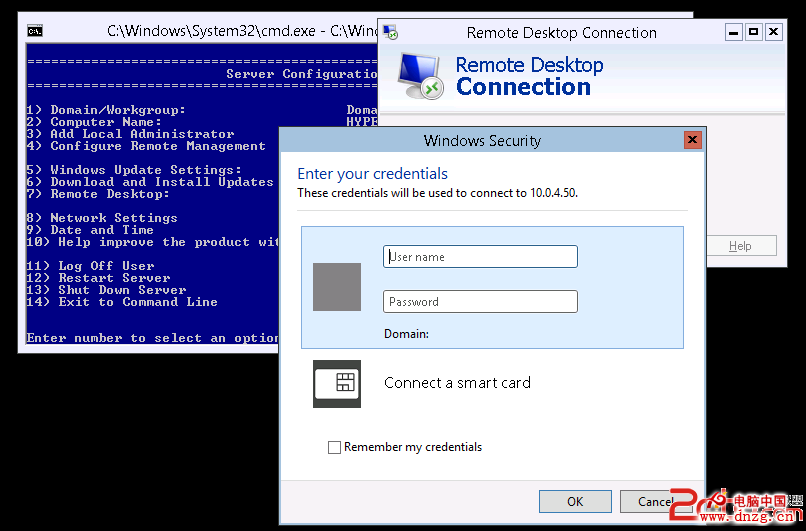
此法適用於需在 Core 伺服器上臨時管理其他伺服器的情境,避免安裝完整 GUI 介面。
Windows Server 2012 R2 WSUS 新功能全解析
Windows Server 2012 與 Windows 8 遠程管理全攻略:Server Manager、PowerShell 與 WinRM
Windows Server 2003 修改遠端桌面 3389 連接埠提升安全性
解決 U 盤安裝 Windows Server 2012 R2 報錯「Windows 無法開啟所需檔案」:install.wim 超過 4GB 限制
Windows Server 2008 常見問題解答 20 題完整指南
Windows Server 2008 事件觸發器:讓關鍵事件自動通知管理員