為防遺忘密碼導致無法登入,Server 2008 提供「密碼重設磁碟」功能,可在安裝時或事後建立。
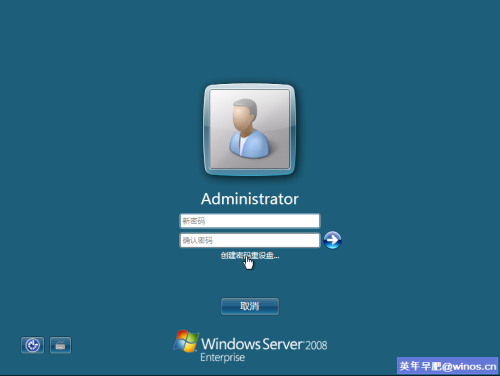
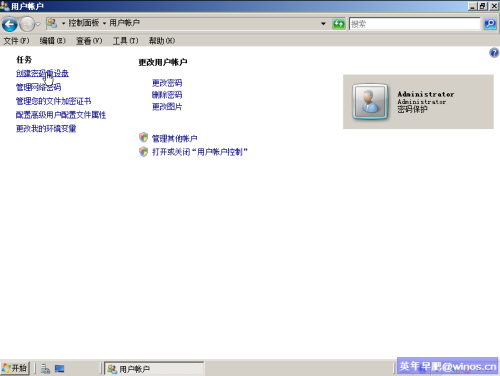
登入畫面輸入錯誤密碼後,會出現「重設密碼」連結,插入磁碟即可依嚮導建立新密碼。注意:重設磁碟僅對應建立時的使用者帳戶,請妥善保管。
Windows Server 2008 延長評估期限指令與排程自動化:slmgr.vbs -rearm 完整操作
Windows Server 2008 稽核原則完整部署指南:啟用策略、查看事件日誌、實戰偵測非法帳號建立與自動警報
活用 Windows Server 2008 內建安全功能:NAP 部署完整實作
Windows Server 2008 Server Core 核心操作指南:五大步驟掌握無界面管理
Windows Server 2008 網路疑難排解實用技巧
善用命令列提升 Windows Server 2008 管理效率 (ServerManagerCmd 與 Netsh 實戰)