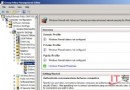
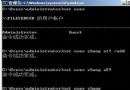
Windows Server 2008 預設安裝為精簡介面 (經典模式),若需使用 Aero 玻璃效果、主題切換、圖片預覽等桌面體驗功能,需額外安裝「桌面體驗」功能並啟動 Themes 服務。
services.msc → 找到 Themes → 啟動類型改「自動」 → 啟動服務硬體需求:Aero 透明玻璃效果需要顯示卡支援 WDDM 1.0 驅動、DirectX 9、Pixel Shader 2.0、最少 128 MB 顯存。若顯示卡不支援,僅能選擇「Windows Vista 基本」或「標準」配色方案。
Windows Server 2008 網路安全新特性與終端服務增強
Windows Server 2008 激活方法說明:正版授權管道與合規建議
Windows Server 2003 遷移至 2008 完整實戰指南
Windows HPC Server 2008 背後的中國研發團隊:從外圍功能到核心組件的三年躍進
Windows Server 2008 R2 與 2012 建立樹系信任完整圖文教學:DNS 條件轉送/存根區域、雙向樹系信任、選擇性驗證
Windows Server 2008 常用管理技巧大全 (29 項實用設置)
免光碟硬碟安裝 Windows Server 2008 圖文教學:從 ISO 解壓到 setup.exe 執行
OpenStack 建立 Windows Server 2008 映像檔完整步驟:KVM/QEMU、VirtIO 驅動注入、VNC 安裝流程