Windows Server 2003 關機時強制顯示「關機事件追蹤器」並執行多項審核檢查,導致關機緩慢。兩項簡單設定可大幅加速關機流程。
一、關閉關機事件追蹤器 (群組原則)
- 執行
gpedit.msc 開啟群組原則編輯器。
- 展開:電腦設定 → 系統管理範本 → 系統。
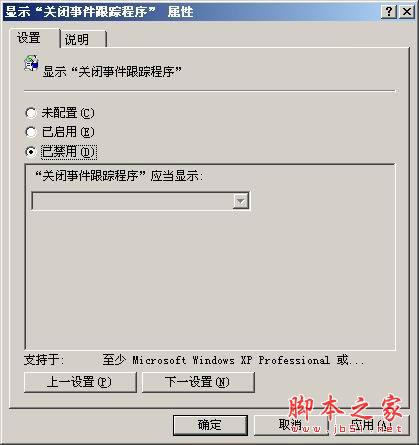
- 雙擊 「顯示關機事件追蹤器」 → 設為 「已停用」。
- 關機時不再彈出追蹤器視窗,直接進入關機序列。
二、關閉關機審核 (電源按鈕設定)
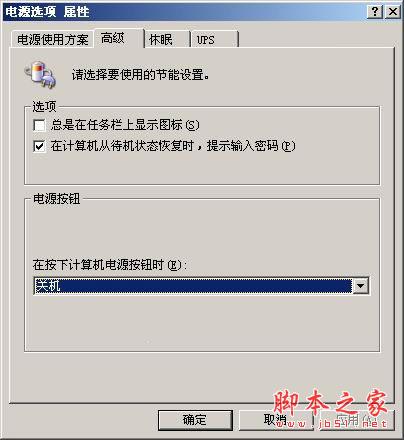
- 桌面空白處右鍵 → 「內容」→「螢幕保護程式」→「電源」→「進階」。
- 將 「按下電腦電源按鈕時」 設為 「關機」。
- 以後直接按機箱電源鍵即可觸發快速關機,略過軟體層審核檢查。
效果驗證
完成上述兩項設定後,Windows Server 2003 關機時間明顯縮短,適合測試環境頻繁重啟或生產環境維護窗口時間敏感的場景。